> ## Documentation Index
> Fetch the complete documentation index at: https://docs.cloudthinker.io/llms.txt
> Use this file to discover all available pages before exploring further.
# Plan
> Save findings as recommendations, capture approvals, and schedule execution from one shared backlog.
Plan is the shared workspace where saved recommendations move through [approval](/guide/approval), scheduling, and execution — giving FinOps, security, and engineering teams one source of truth. How findings become recommendations (detect → triage → promote → track) is documented on [Keepers](/guide/infrastructure/cloudkeepers#from-finding-to-recommendation).
## Prerequisites
* At least one source of findings: [CloudKeepers](/guide/infrastructure/cloudkeepers), an [assessment](/guide/infrastructure/assessment), or `#recommend` results from an agent conversation.
* Optional: [approval](/guide/approval) reviewers set up if changes require sign-off before execution.
## Save and execute recommendations
Findings start as drafts in their source views — they appear in Plan only after you save them.
Go to **Plan** to see all saved recommendations ready for execution.
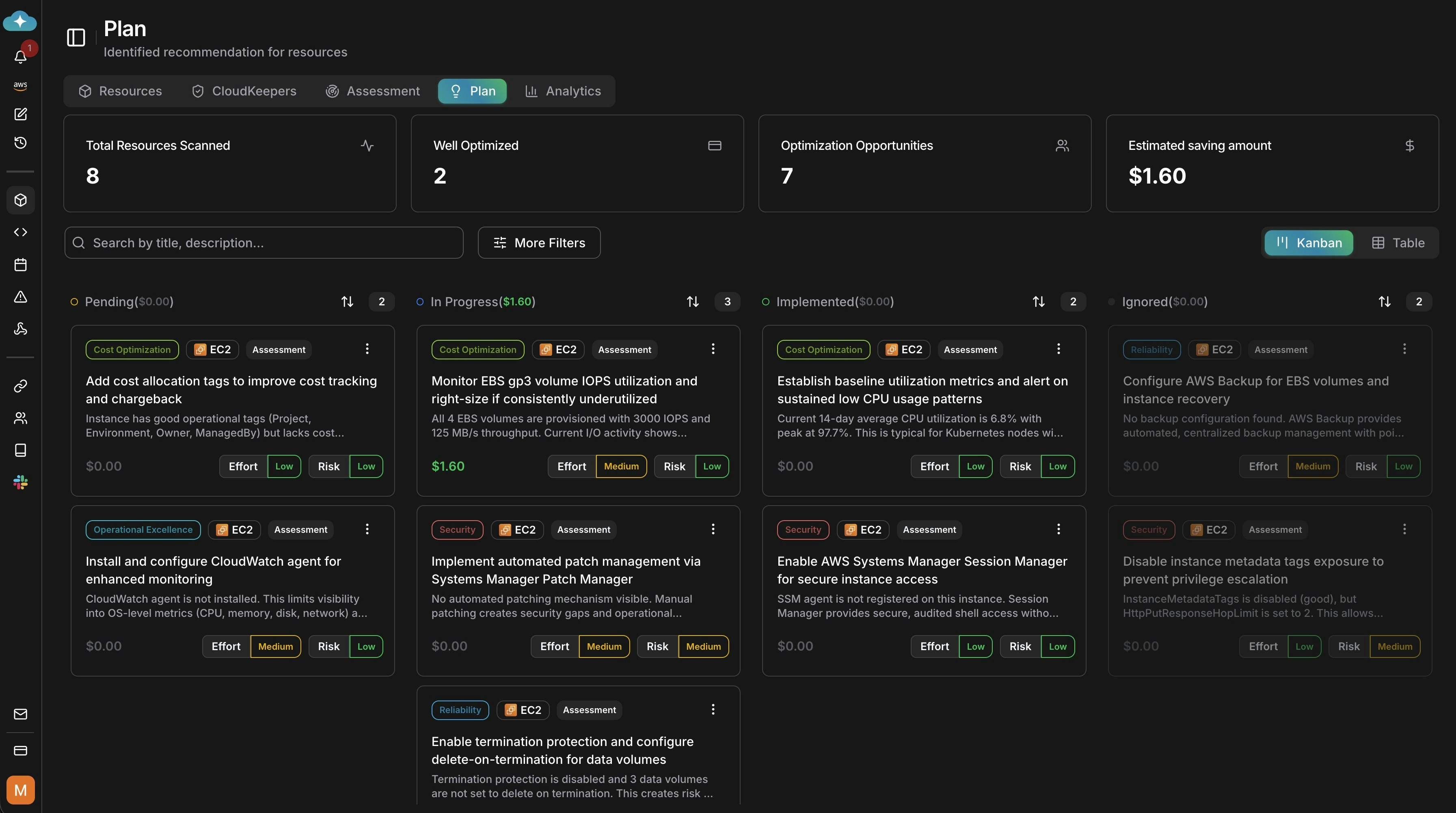 Open any draft finding from Keepers, an assessment, or `#recommend` conversation results and choose **Save to Plan**. Saved items become available for approvals, scheduling, and execution. Unsaved drafts remain in their source views.
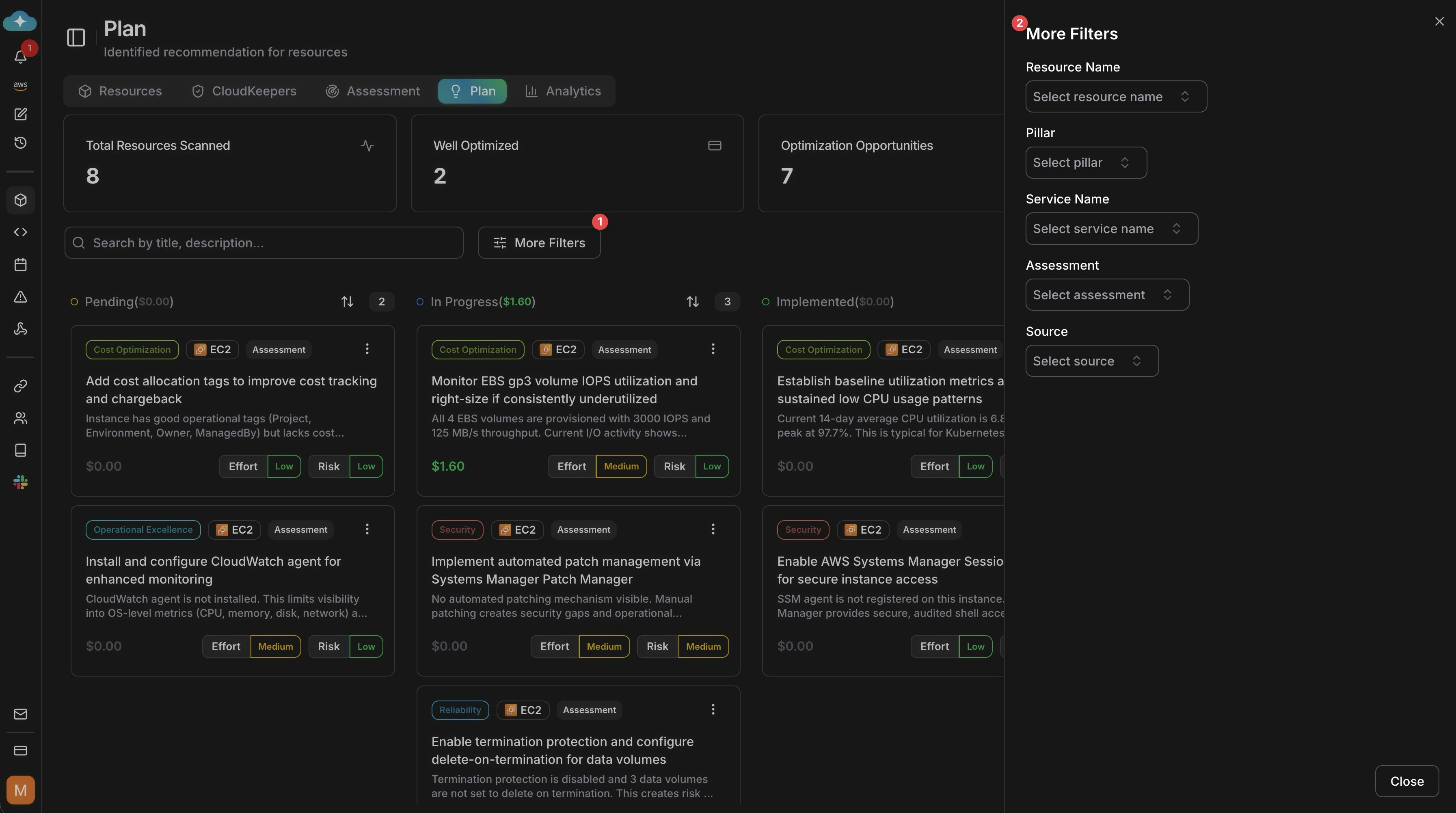
Use **More Filters** to scope by resource name, pillar, service, assessment, or source. This helps focus the rollout before approvals and scheduling.
Open any draft finding from Keepers, an assessment, or `#recommend` conversation results and choose **Save to Plan**. Saved items become available for approvals, scheduling, and execution. Unsaved drafts remain in their source views.
Use **More Filters** to scope by resource name, pillar, service, assessment, or source. This helps focus the rollout before approvals and scheduling.
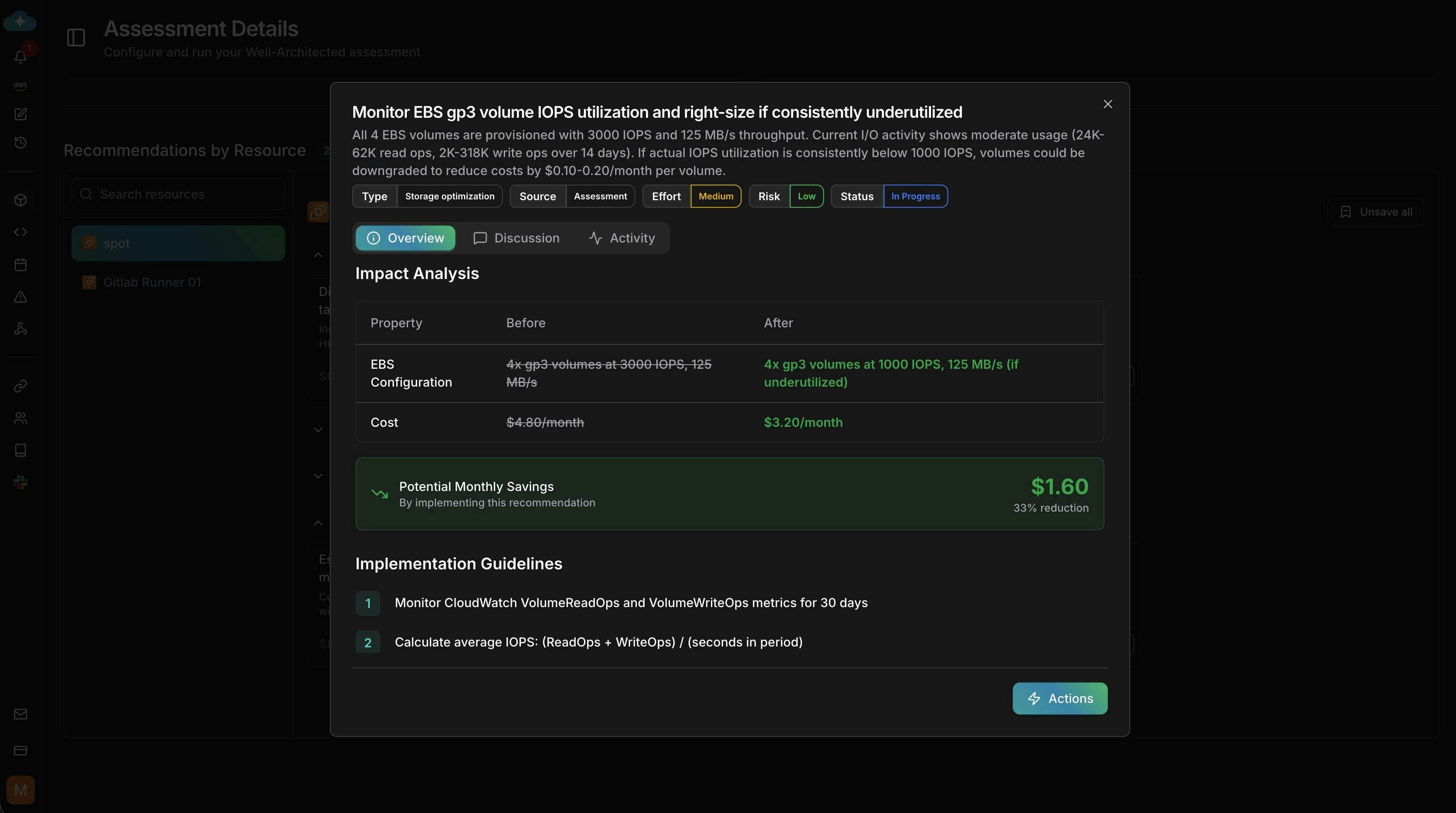
 Open a recommendation to review impact analysis, savings, risk notes, and implementation guidance before deciding what to run.
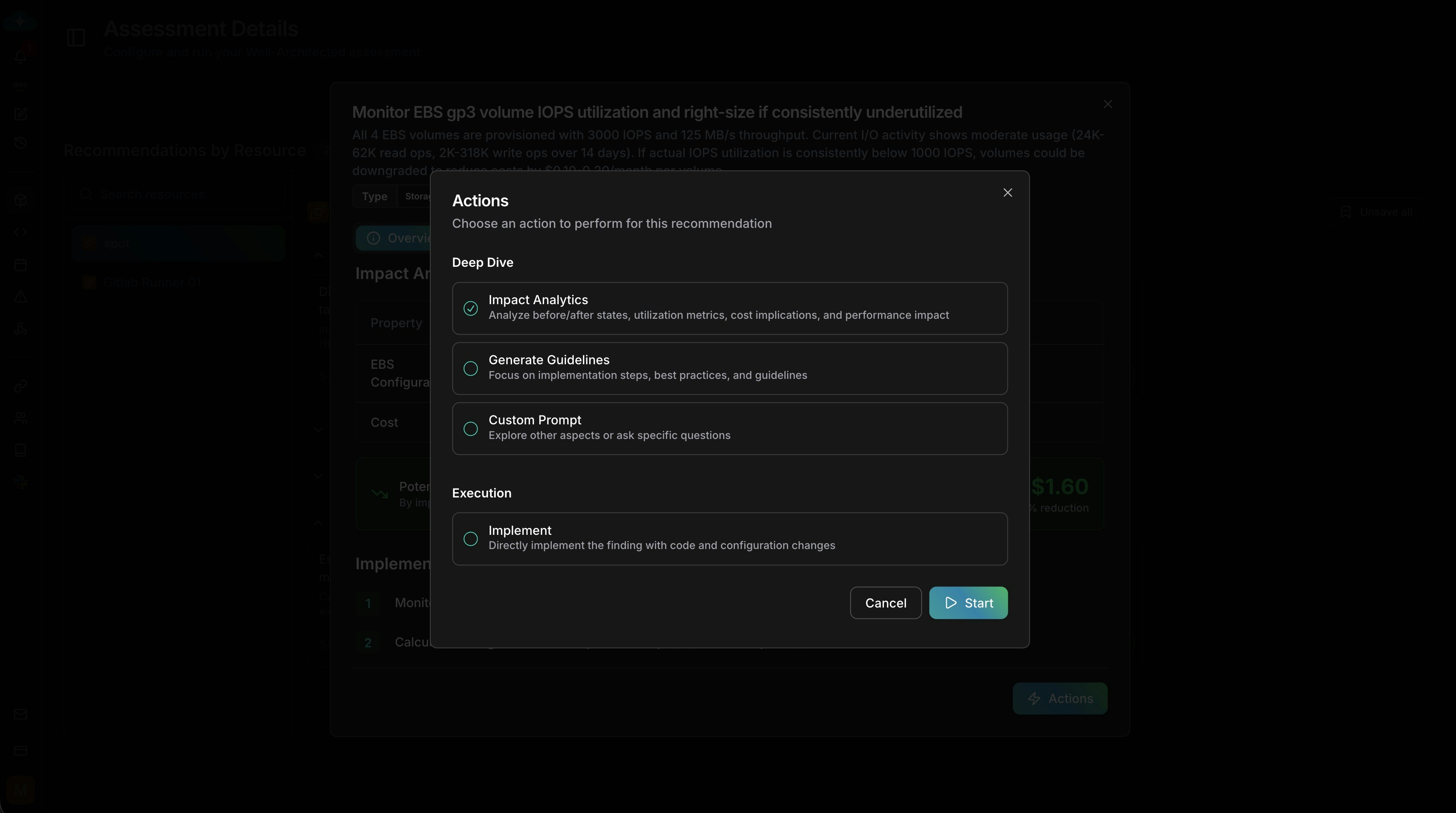
 Choose how to proceed: run impact analytics, generate guidelines, ask a custom prompt, request approval, or implement directly.
 ## Next steps
Run Well-Architected assessments that feed remediation findings into Plan
Enable continuous monitors that detect drift and generate findings
Look up recommendation attributes, sources, and categories
## Next steps
Run Well-Architected assessments that feed remediation findings into Plan
Enable continuous monitors that detect drift and generate findings
Look up recommendation attributes, sources, and categories