> ## Documentation Index
> Fetch the complete documentation index at: https://docs.cloudthinker.io/llms.txt
> Use this file to discover all available pages before exploring further.
# Cyber
> Understand how Oliver pentests your apps, what the workspace posture view shows, and where each Cyber task lives
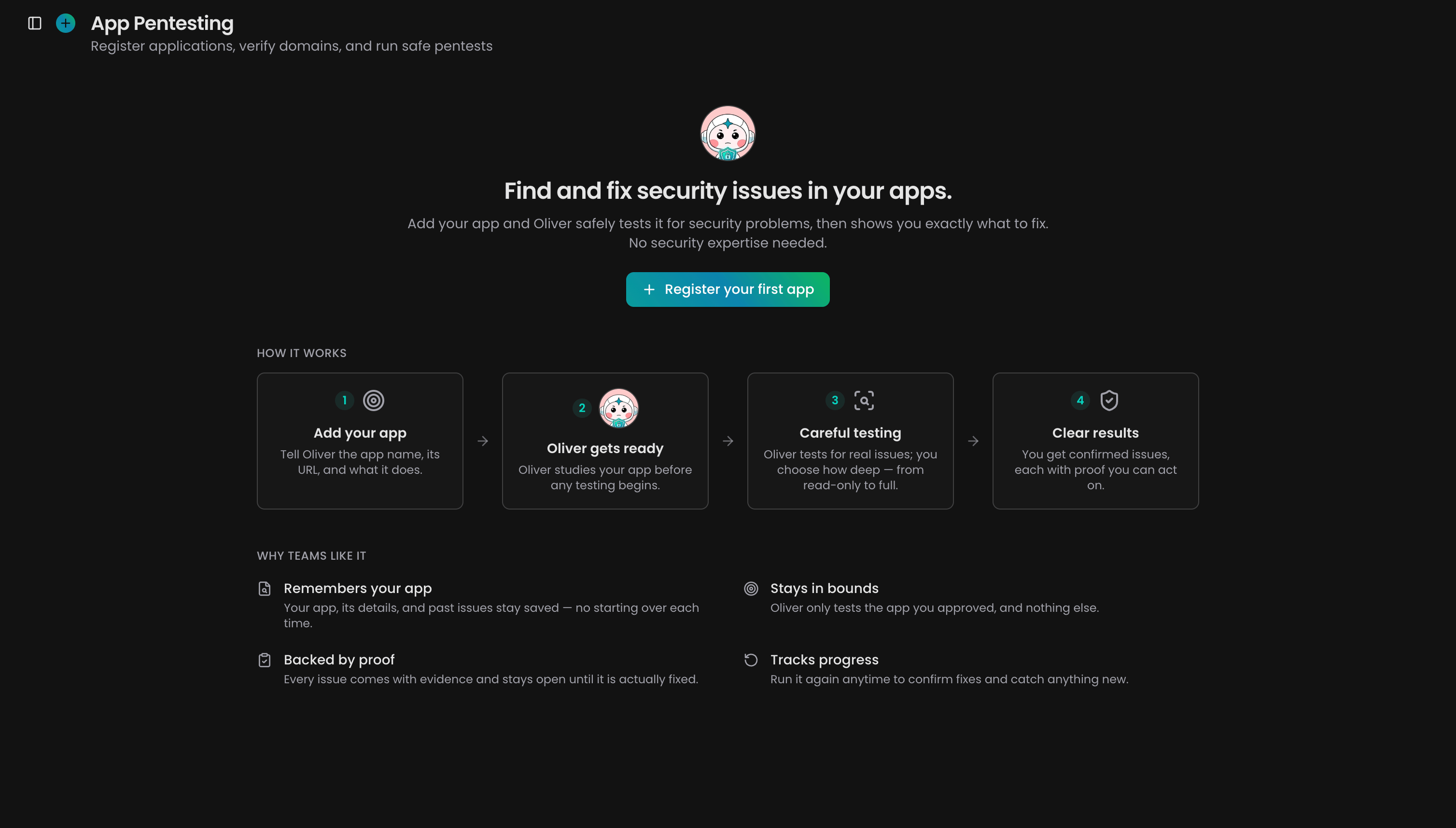
Cyber is the module where [Oliver](/guide/agents/oliver), the Security Engineer agent, runs pentests — penetration tests, simulated attacks that prove real vulnerabilities (see the [glossary](/guide/glossary)) — against your running apps. Each app is a living record: every scan updates one picture of its security instead of producing another one-off report.
Cyber is in beta. Find it under **Cyber** in the navigation menu.
A traditional pentest is a snapshot: a consultant tests once a year and leaves a PDF that starts aging the day it lands. Oliver keeps testing — every run refreshes the app's reachable surface, re-checks old findings, and proves new ones with evidence you can replay yourself. When something is fixed, the next scan verifies the fix without being asked, so your security picture stays as current as your last deploy.
## How it works
1. **Register an app.** Give it a name and a target — a domain or an API base URL — then prove you own the domain with a DNS record.
2. **Set the boundaries.** Fence off what Oliver may test, attach logins so he can test behind the sign-in page, and attach repositories so findings point at the exact line of code.
3. **Oliver scans.** A run maps everything reachable, then tests inside your scope at the intensity you chose — from read-only to full.
4. **Findings arrive with proof.** Each confirmed finding carries the attack path and a safe proof of concept you can replay yourself.
5. **The next scan re-checks.** Fixed findings are verified automatically, retest requests are honored, and dismissed findings stay quiet.
 ## What you can do
| Capability | Description | Link |
| ---------------- | --------------------------------------------------------------------------------------------------------- | ----------------------------------------------------------------- |
| Run a pentest | Register an app, verify its domain, attach logins and code, then launch a run or schedule a recurring one | [Run a pentest](/guide/security/pentest) |
| Watch a run live | Follow the timeline as Oliver works, and stop a run that goes further than you expected | [Watch the run](/guide/security/pentest#watch-the-run) |
| Triage findings | Work findings on a table or Kanban board, dismiss non-issues with a reason, and reopen anything later | [Triage security findings](/guide/security/cyber-findings) |
| Export evidence | Download one finding as a PDF, or every finding matching your filters as a single report | [Export findings](/guide/security/cyber-findings#export-findings) |
The Cyber page itself is your workspace posture view. It totals open findings by severity across every app, flags what needs attention — critical and high open, needs triage, awaiting retest — and lists recent findings above the app roster. Until an app's first scan completes, Cyber shows "not scanned yet" rather than a clean bill of health, and while a scan runs the counts carry a live indicator because they can still change.
## Key concepts
| Concept | Meaning |
| ------------ | --------------------------------------------------------------------------------------------------------------- |
| App | A registered target — a domain or API base URL — that keeps its surface, run history, and findings across scans |
| Access level | How deep a run can go: black-box (public pages only), gray-box (signed in), white-box (app plus source code) |
| Intensity | How much a run may change: Safe reads only, Aggressive creates test data, Full may delete |
| Finding | A proven security problem, with evidence and a safe proof of concept you can replay |
| Triage stage | Your workflow position for a finding, from needs triage to verified fixed |
## Get started
Register your first app, set the boundaries, and launch a scan
Read each finding's proof and move it through your workflow
Meet the Security Engineer agent that runs your pentests
Connect the Git provider that unlocks white-box testing
## What you can do
| Capability | Description | Link |
| ---------------- | --------------------------------------------------------------------------------------------------------- | ----------------------------------------------------------------- |
| Run a pentest | Register an app, verify its domain, attach logins and code, then launch a run or schedule a recurring one | [Run a pentest](/guide/security/pentest) |
| Watch a run live | Follow the timeline as Oliver works, and stop a run that goes further than you expected | [Watch the run](/guide/security/pentest#watch-the-run) |
| Triage findings | Work findings on a table or Kanban board, dismiss non-issues with a reason, and reopen anything later | [Triage security findings](/guide/security/cyber-findings) |
| Export evidence | Download one finding as a PDF, or every finding matching your filters as a single report | [Export findings](/guide/security/cyber-findings#export-findings) |
The Cyber page itself is your workspace posture view. It totals open findings by severity across every app, flags what needs attention — critical and high open, needs triage, awaiting retest — and lists recent findings above the app roster. Until an app's first scan completes, Cyber shows "not scanned yet" rather than a clean bill of health, and while a scan runs the counts carry a live indicator because they can still change.
## Key concepts
| Concept | Meaning |
| ------------ | --------------------------------------------------------------------------------------------------------------- |
| App | A registered target — a domain or API base URL — that keeps its surface, run history, and findings across scans |
| Access level | How deep a run can go: black-box (public pages only), gray-box (signed in), white-box (app plus source code) |
| Intensity | How much a run may change: Safe reads only, Aggressive creates test data, Full may delete |
| Finding | A proven security problem, with evidence and a safe proof of concept you can replay |
| Triage stage | Your workflow position for a finding, from needs triage to verified fixed |
## Get started
Register your first app, set the boundaries, and launch a scan
Read each finding's proof and move it through your workflow
Meet the Security Engineer agent that runs your pentests
Connect the Git provider that unlocks white-box testing