

Atlassian Integration Settings
Control which AI tools can connect to your Atlassian organization. You can allow or block these integrations to prevent unauthorized access. These settings work alongside your existing security controls like IP allowlisting and app management policies.Prerequisites
- Role: Organization Admin
- Supported Plans: Atlassian Cloud (Free, Standard, Premium, Enterprise)
Manage Domains
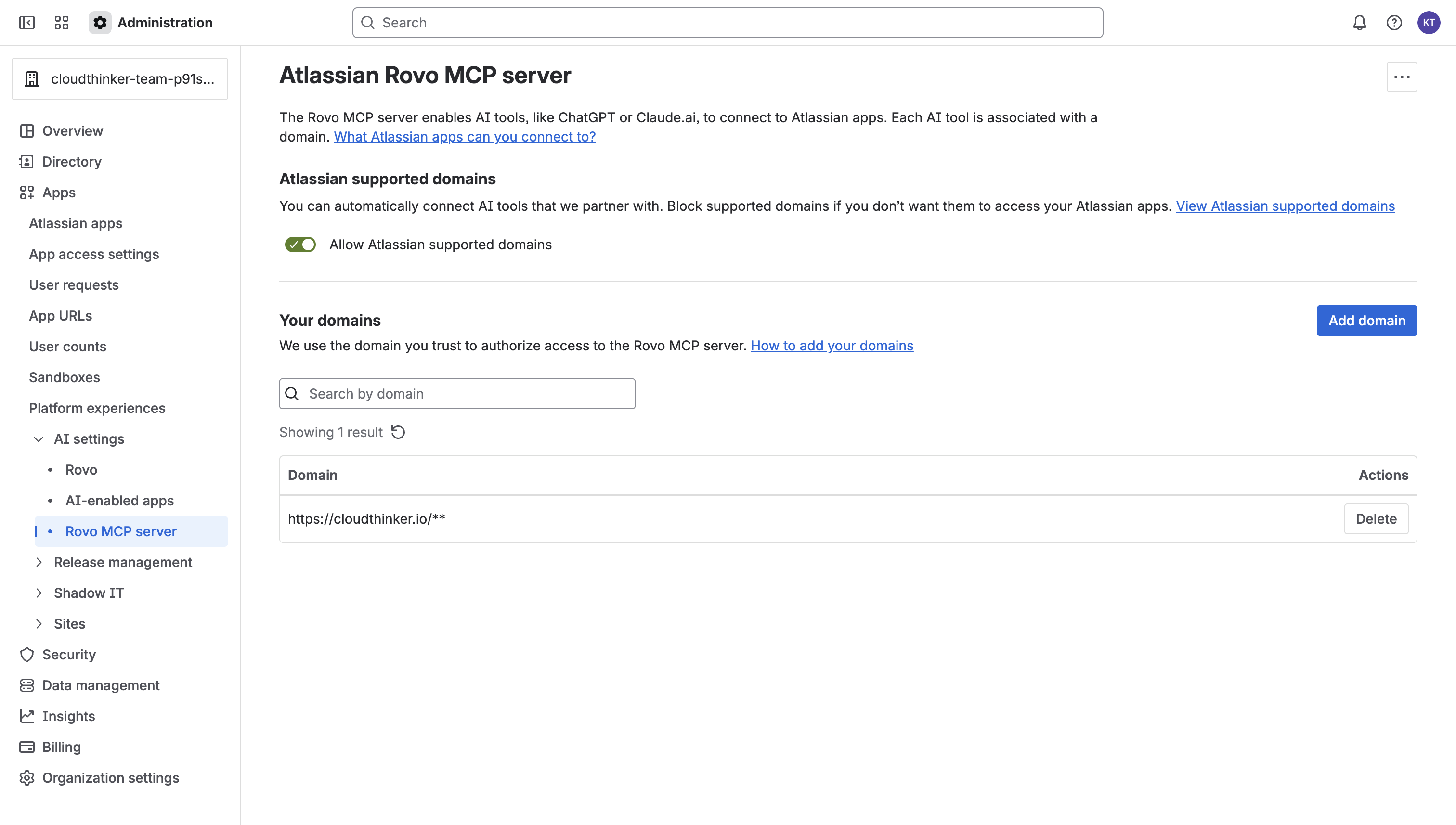
Allow CloudThinker Domain
To allow CloudThinker to connect to your Atlassian organization, you must add our domain to the allowed list.- Go to Atlassian Administration > Apps > AI settings > Rovo MCP server.
- Select Add domain.
- Enter
https://cloudthinker.io/**and save.
IP Allowlisting
If your organization uses IP allowlisting:- Configure allowlists in Atlassian Administration (not in AI settings).
- Requests must come from allowed IPs, even for trusted domains.
- Users on blocked IPs will see a permission error.