

Detect conflicts
Detection is automatic and always on. When an open MR conflicts with its target branch, CloudThinker marks it with a conflict badge on the Reviews page. Once a follow-up MR exists, the same row links to it as Resolution MR.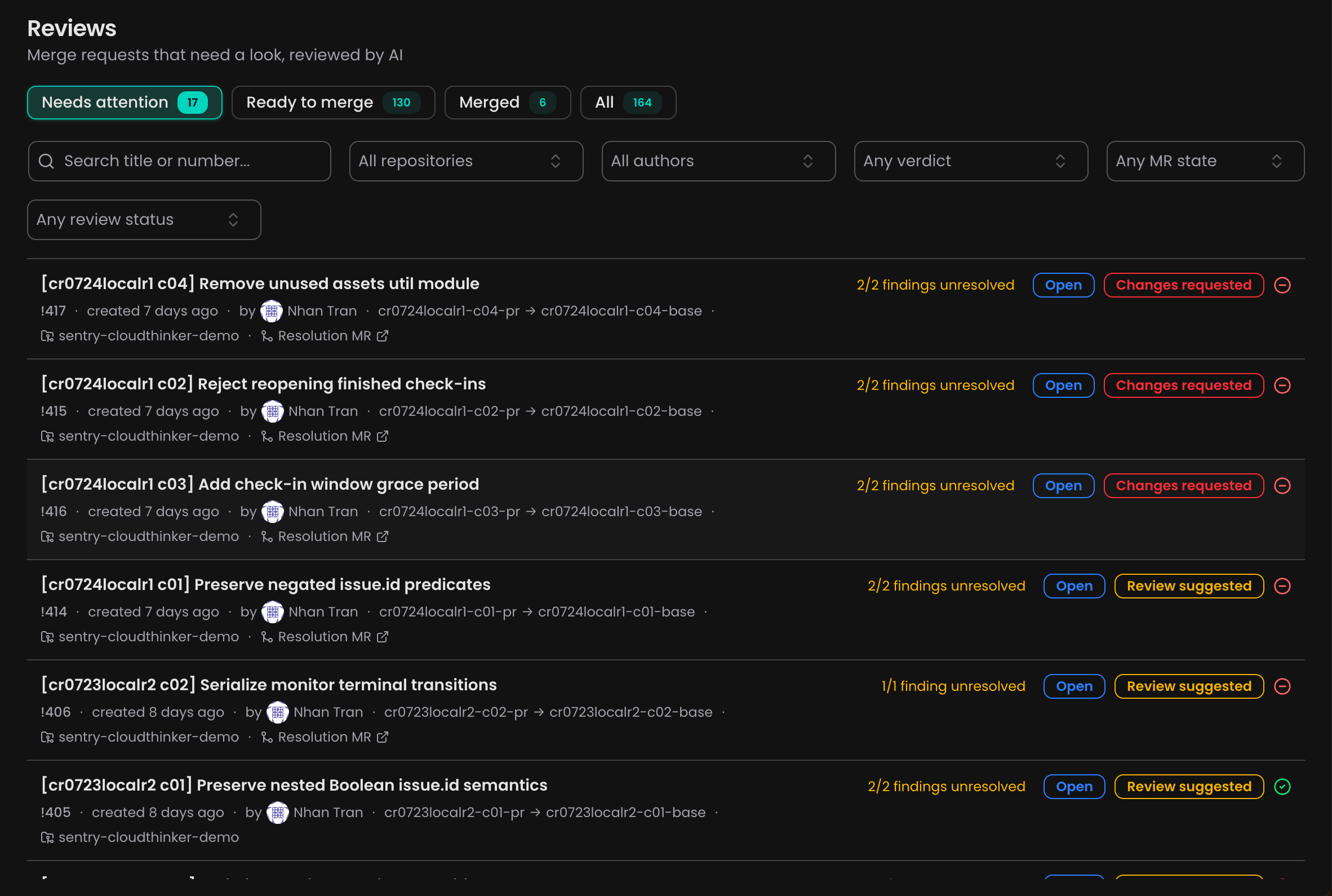
Conflicting MRs are badged on the Reviews page and link to their Resolution MR
Turn on auto-resolve
In Review → Settings, turn on Auto-Resolve Conflicts. The toggle applies to the whole workspace and controls only whether resolution runs — detection stays on either way.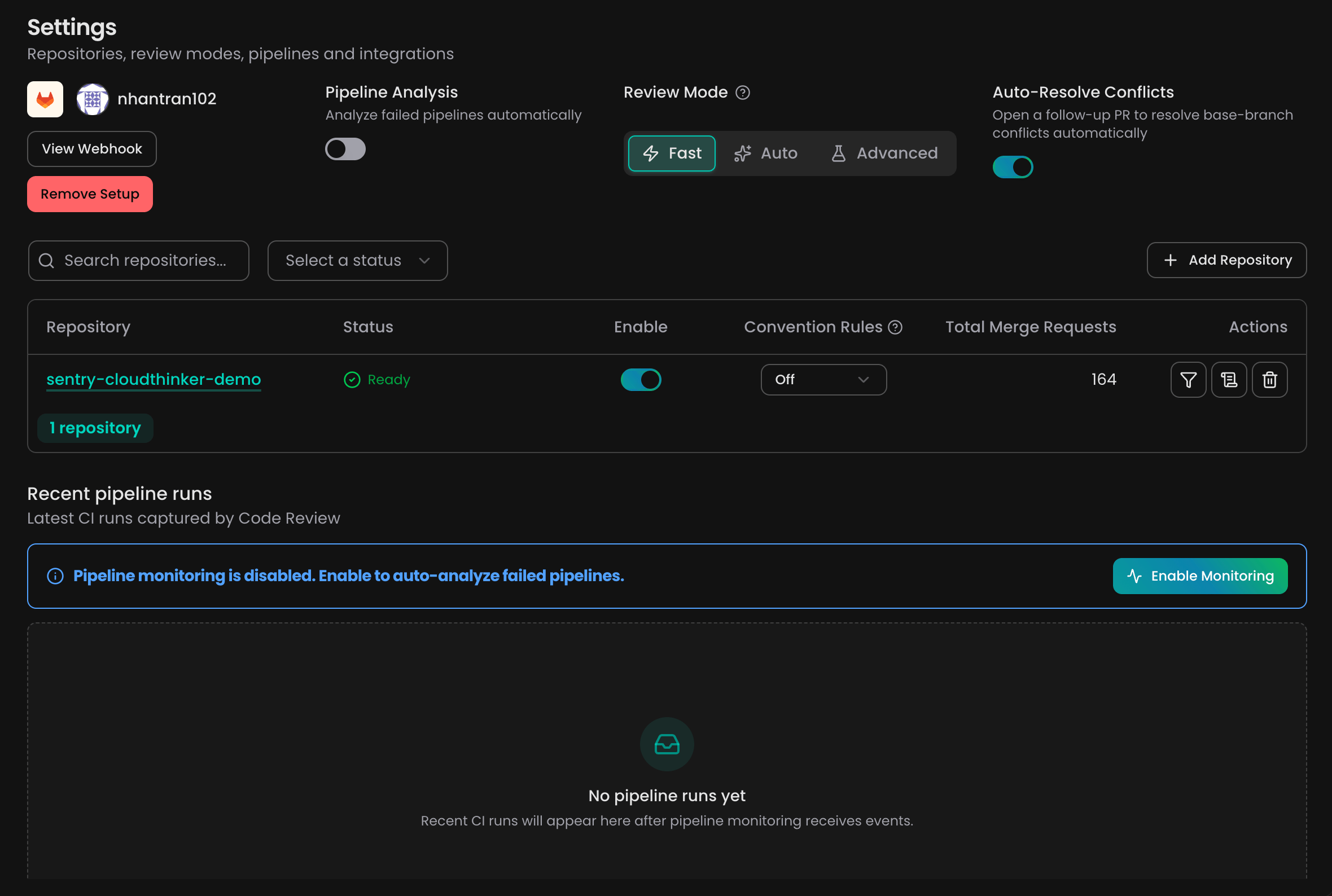
Turn on Auto-Resolve Conflicts in Review → Settings
Auto-Resolve supports GitLab, GitHub, Bitbucket, and AWS CodeCommit. Azure DevOps is not supported.
How resolution works
- CloudThinker posts a 🔄 Conflict Resolution In Progress comment and starts an isolated run.
- It builds a resolution branch from your MR’s source, then merges the target branch into it — never a rebase, so your history is preserved. Structural conflicts (rename, delete, add/add, binary) keep the MR side.
- It opens a follow-up MR targeting your source branch, titled
fix: resolve merge conflicts for <your MR>, and updates the comment with the link. - You review and merge the follow-up. CloudThinker never merges for you — once it’s merged, your original MR is mergeable again.
On GitLab, merge the follow-up MR without squash. Squashing drops the merge ancestry GitLab needs to see the original conflict as resolved.
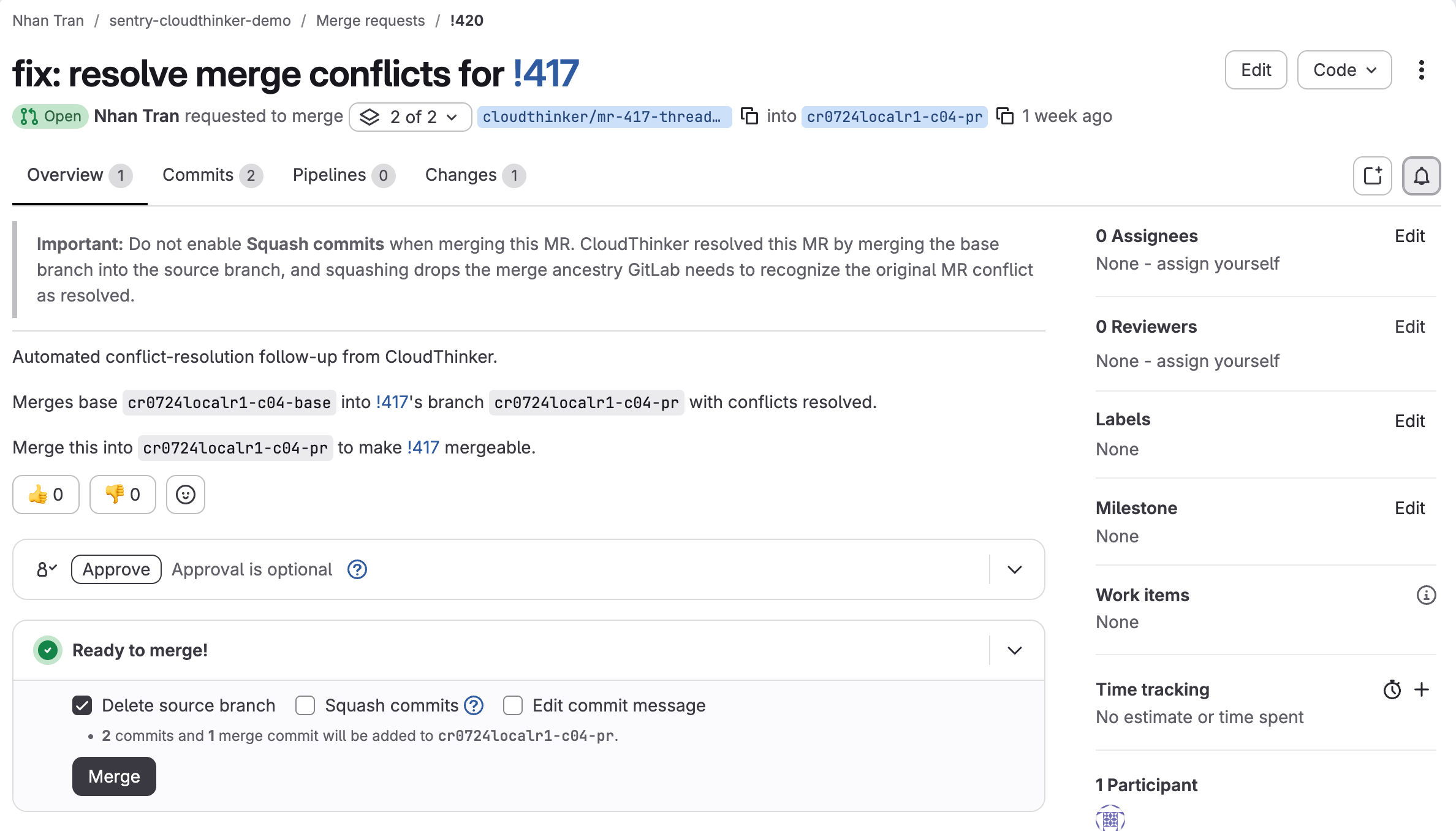
Merge the follow-up MR to make your original MR mergeable
Status comments
CloudThinker keeps one status comment on your MR and edits it in place: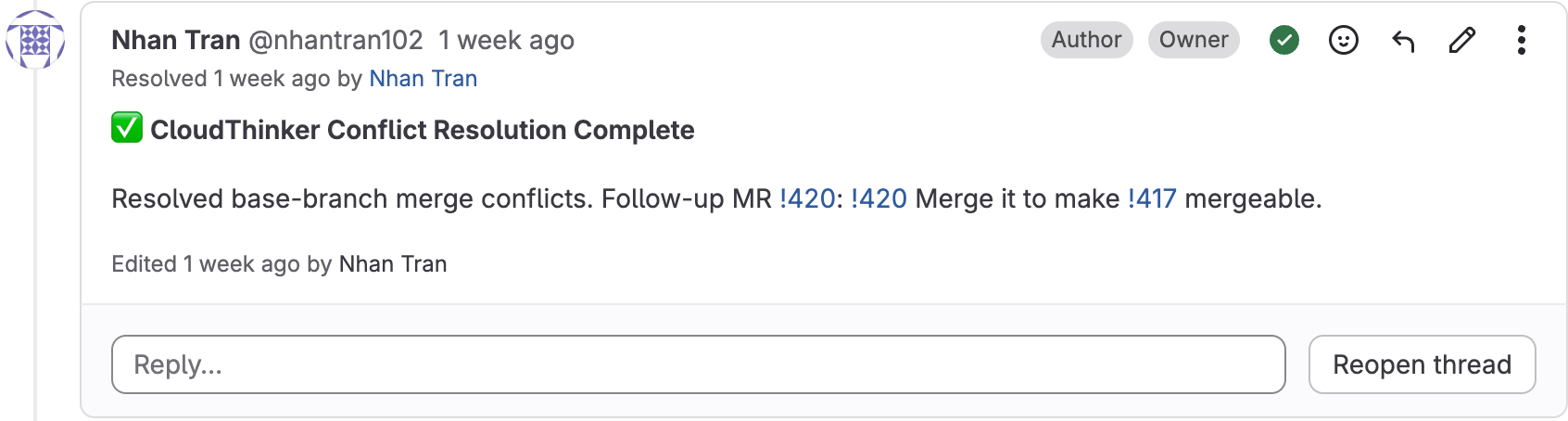
The status comment links to the follow-up MR when resolution completes
Good to know
- Your branch is never touched. Resolution happens on a CloudThinker-owned
cloudthinker/branch; your branch and its history stay as-is, and protected branches likemainare never pushed to. - Your work is preserved. The resolver verifies the resolved diff still contains your MR’s change before it pushes, and you review the follow-up MR before merging.
- It keeps up with the base. If the base moves again, the same follow-up MR updates in place; if it was already merged, a new one is opened.
- Not a mention command. Auto-resolve is fully automatic.
@cloudthinker-ai autofixis separate — it fixes review findings, not conflicts.
Related
Review setup
Connect your repositories for automated code review
Mention commands
Interact with CloudThinker directly from PR and MR comments