

Why Approvals
- Rules decide first. A Rule names one kind of write and lets it run, asks a person first, or refuses it.
- A mode covers the rest. The Approval mode decides each write that no Rule covers.
- The right people answer. Default approvers answer every ask, unless a Rule names another group.
- Agents propose, people accept. An agent can draft a Rule, but a Rule does nothing until a person accepts it.
- Every decision is on record. Activity shows what each Rule decided and who approved.
How a write is decided
Each write goes through these steps. The first step that gives an answer decides.
When several Rules match one write, Deny wins over Ask first, and Ask first wins over Allow. In Manual mode, every write asks a person, also a write that an Allow Rule covers.
A read never asks. Approvals checks only calls that reach your connections; a local file change in the agent’s own sandbox is not a write to your systems.
The Approvals page
Open Approvals in the sidebar. The page has five tabs.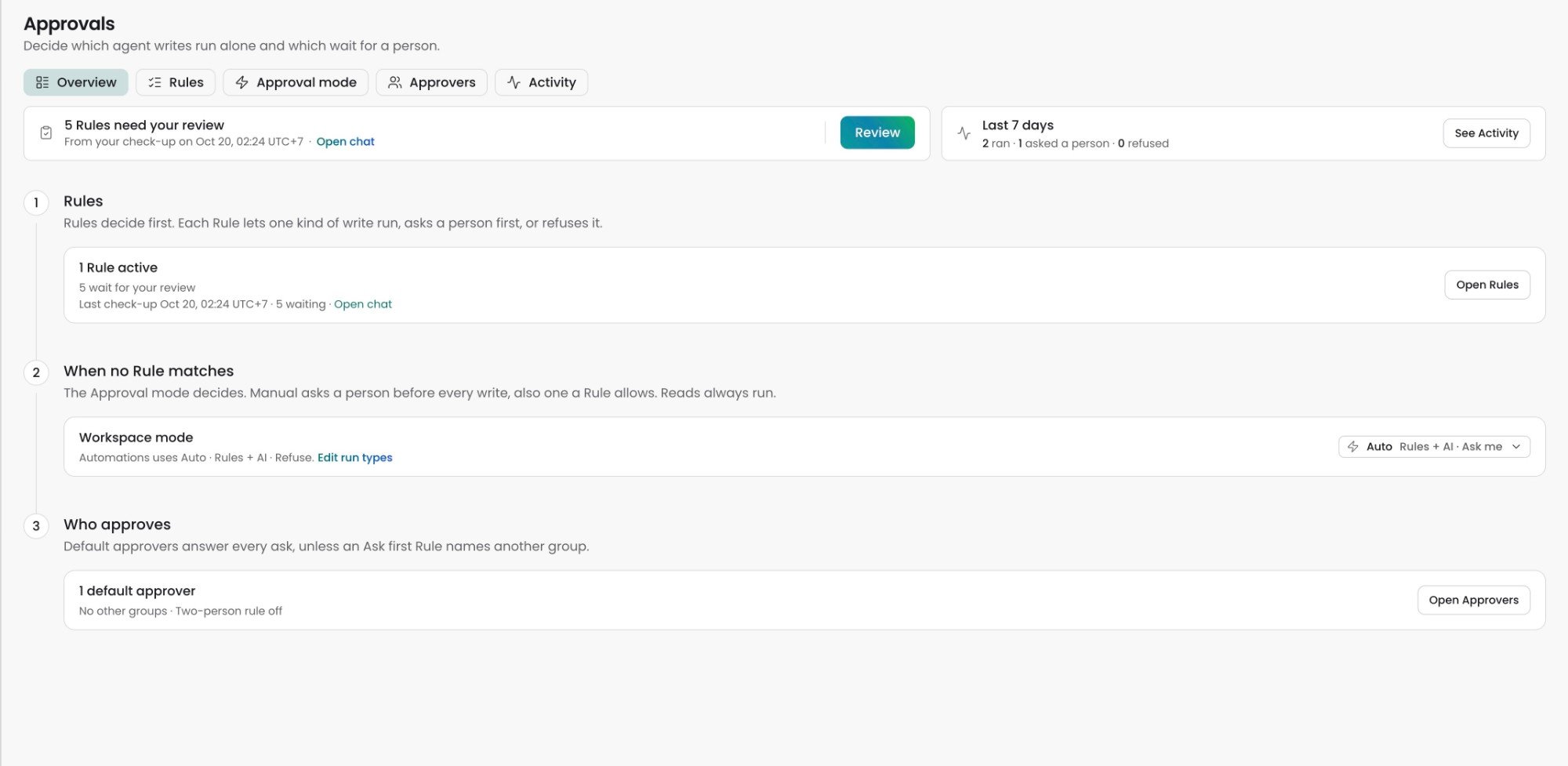
The Overview tab opens first. Needs you shows the Rules that wait for your review, with a Review button. Last 7 days counts the calls that ran, asked a person, or were refused.
Answer an approval card
When a write must wait for a person, the agent pauses and the chat shows an approval card. The card names the action and the Connection it touches.
The server decides who sees Approve each time someone clicks. When you cannot approve, the card says who can, for example “Only On-call SRE can approve this.” Anyone who can chat can Decline.
Approve for… shows only for a plain write on one Connection in an Auto mode, and only to a workspace admin. A delete, a Rule’s ask, or a call in Manual mode never offers a Window. The same approve and decline buttons also show in Google Chat.
Who can change Approvals
Org Owners and Admins are workspace Admins in every workspace. A control you cannot use stays visible and says “Ask a workspace admin”.
FAQ
Where did Tool Permissions and Command Permissions go?
Where did Tool Permissions and Command Permissions go?
Rules replace them. Old runbook and Trust grants became Rule proposals with the source Imported. They wait under Needs review on the Rules tab, and they do nothing until you accept them.
Can an agent turn on its own Rule?
Can an agent turn on its own Rule?
No. An agent can propose a Rule, change its own proposal, or propose to turn a Rule off. A workspace admin must accept each one.
Can I approve a call that Always blocked refused?
Can I approve a call that Always blocked refused?
No. Always blocked calls never run. Break-glass cannot override them either.
Why does a write still ask me when a Rule allows it?
Why does a write still ask me when a Rule allows it?
The run uses Manual mode, which asks before every write. Check the chat, the Automation, the run type, and the workspace mode on the Approval mode tab.
Related
Rules
Find, review, and accept the Rules that decide each write
Approval mode
Choose Manual or Auto for the workspace, a run type, or one chat
Approvers and Activity
Choose who approves and check what each Rule decided
Automations
Run agent instructions on schedules, webhooks, and repository events