

Why workspace memory
- Less repeated context. An agent that remembers your naming conventions and exempted resources doesn’t ask about them twice.
- Continuity across days. Each night Dreaming reviews recent conversations, adds what is new, and merges or removes what is outdated.
- A shared team brain. Memory belongs to the workspace — the shared space your team works in (glossary) — so what one member teaches an agent benefits everyone.
- Suggested next steps. Unfinished action items from recent conversations come back as one-click prompt suggestions in the composer.
- Visible and correctable. Every member can browse memory in Settings → Memory, and workspace admins can edit or delete any item.
What agents remember
Agents write memory themselves during normal work. CloudThinker does not record raw transcripts into memory.
Specialized memory builds on the same foundation: Incident Memory keeps lessons from past investigations, and Learnings keeps reviewer feedback for Review.
Memory is shared across the workspace, not private to you. A preference or fact you tell an agent can inform every teammate’s conversations in the same workspace. Keep anything personal or sensitive out of chat, or use a credential reference instead of pasting secrets.
Prompt suggestions in the composer
When recent conversations left clear next steps, the empty composer shows up to three suggested prompts, each tagged with the conversation it came from. Suggestions draw on roughly the last week of workspace activity, and typing a few characters filters them to match what you’re writing.Ask about past conversations
Agents can find and read earlier workspace conversations, so prior work becomes evidence in the current chat. Find a conversation. Ask an agent which earlier chats mentioned a resource, or what the team worked on last Tuesday. Search covers conversation titles, your messages, and visible agent replies in the current workspace — not tool output, agent reasoning, or attachments. Results return short, redacted snippets as leads. Read a specific conversation. Paste a prior CloudThinker chat link or conversation ID and ask the agent to continue from it. The agent reads that conversation’s transcript in bounded excerpts and treats it as evidence — it never replays old instructions as commands. Every conversation type works, including assessments, code reviews, pipeline analyses, and Learnings. Both stay inside the current workspace: agents cannot search or read conversations from another workspace, and deleted conversations are excluded.Browse memory in Settings
Open Settings → Memory (under Agent Configuration) to see what CloudThinker remembers about the workspace. Every member can open it; only workspace admins can change it.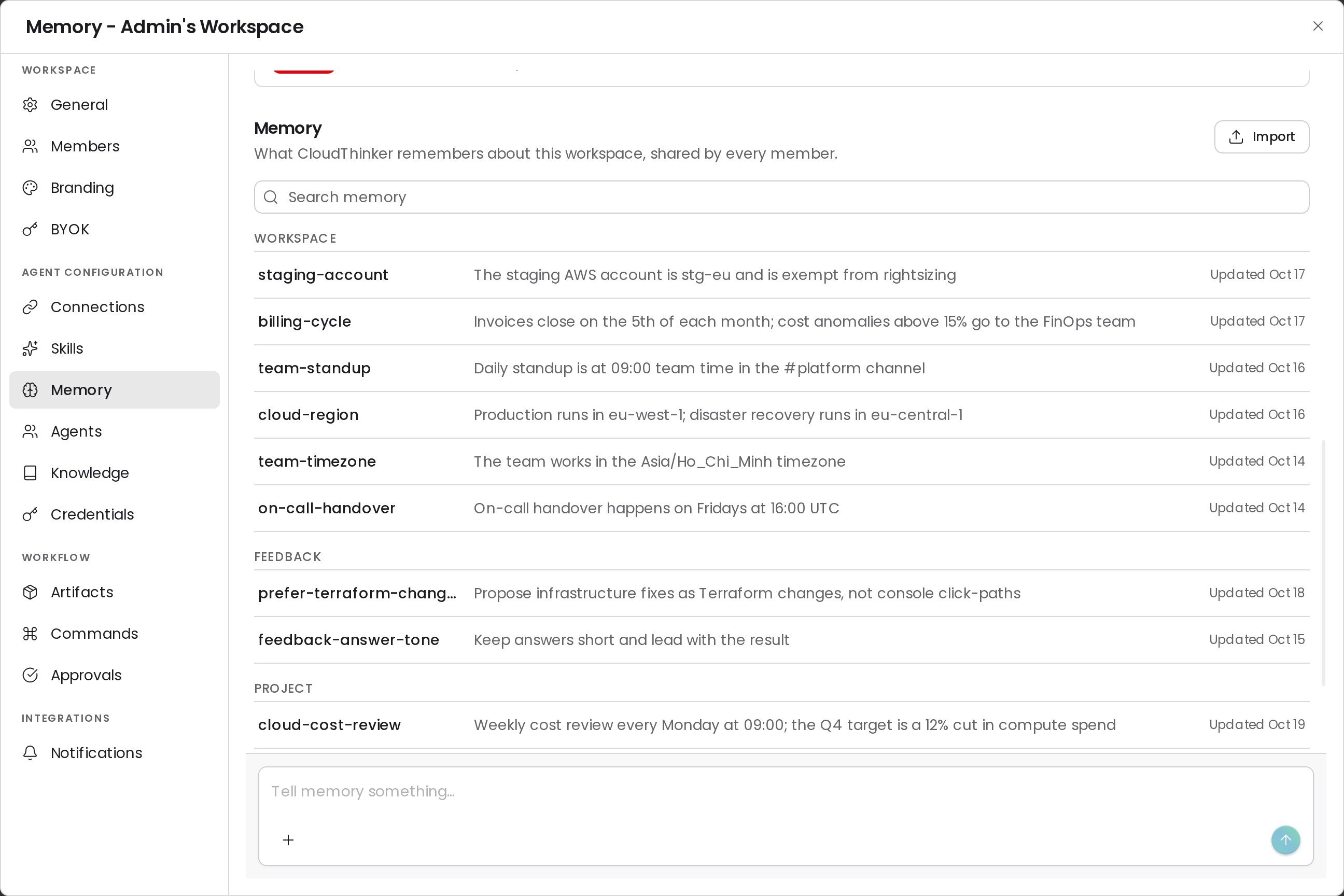
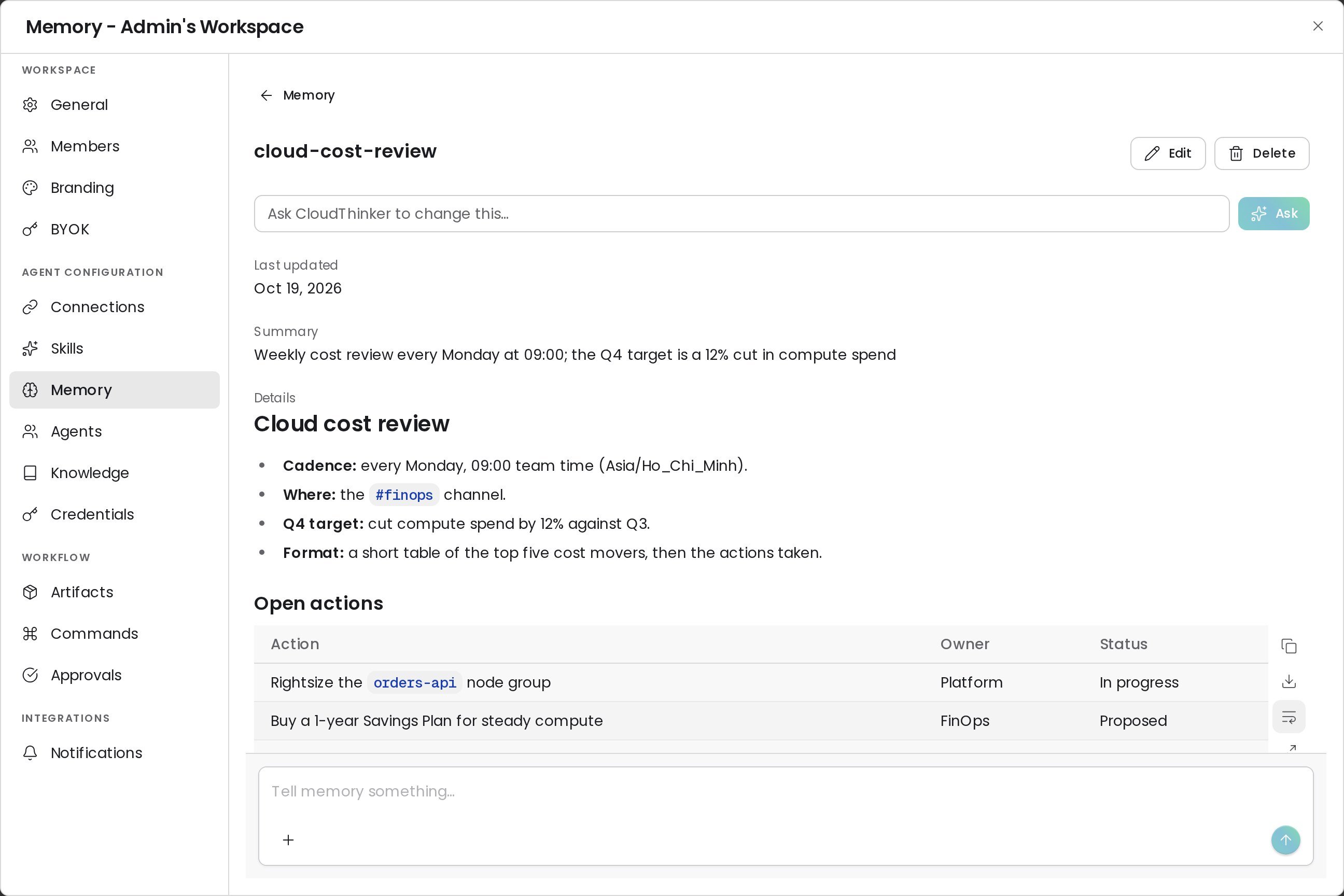
Edit or delete an item
Workspace admins can change an item directly, with no chat turn. Members see Edit and Delete locked and can use Ask CloudThinker to change this… instead.1
Open the item
In Settings → Memory, click the item you want to change.
2
Edit it
Click Edit, change the Summary (one line, up to 200 characters), the Type, or the Details (Markdown), then click Save. The item’s name can’t be changed.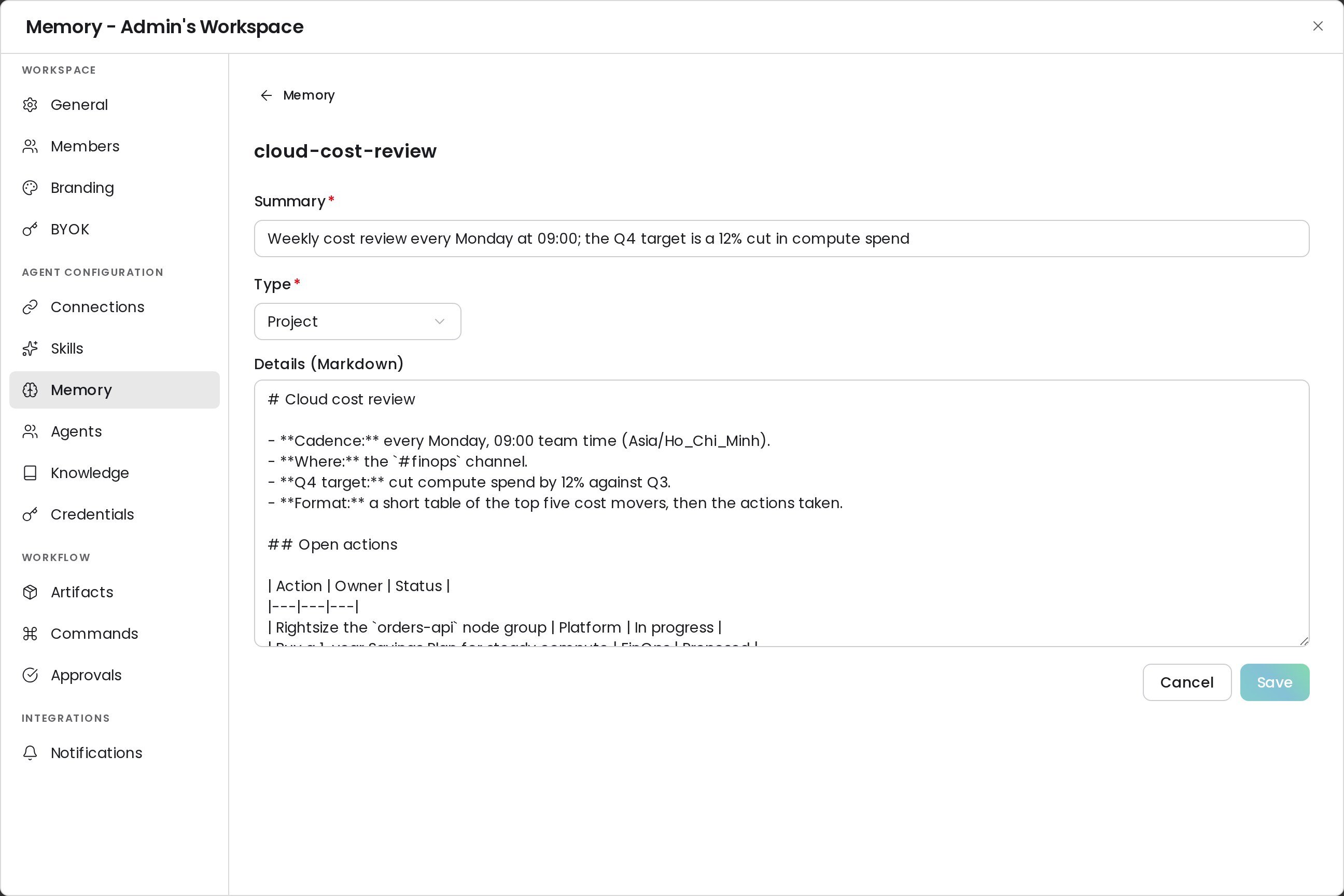
3
Or delete it
Click Delete and confirm. CloudThinker forgets the item for every member; a copy stays in the revision history.
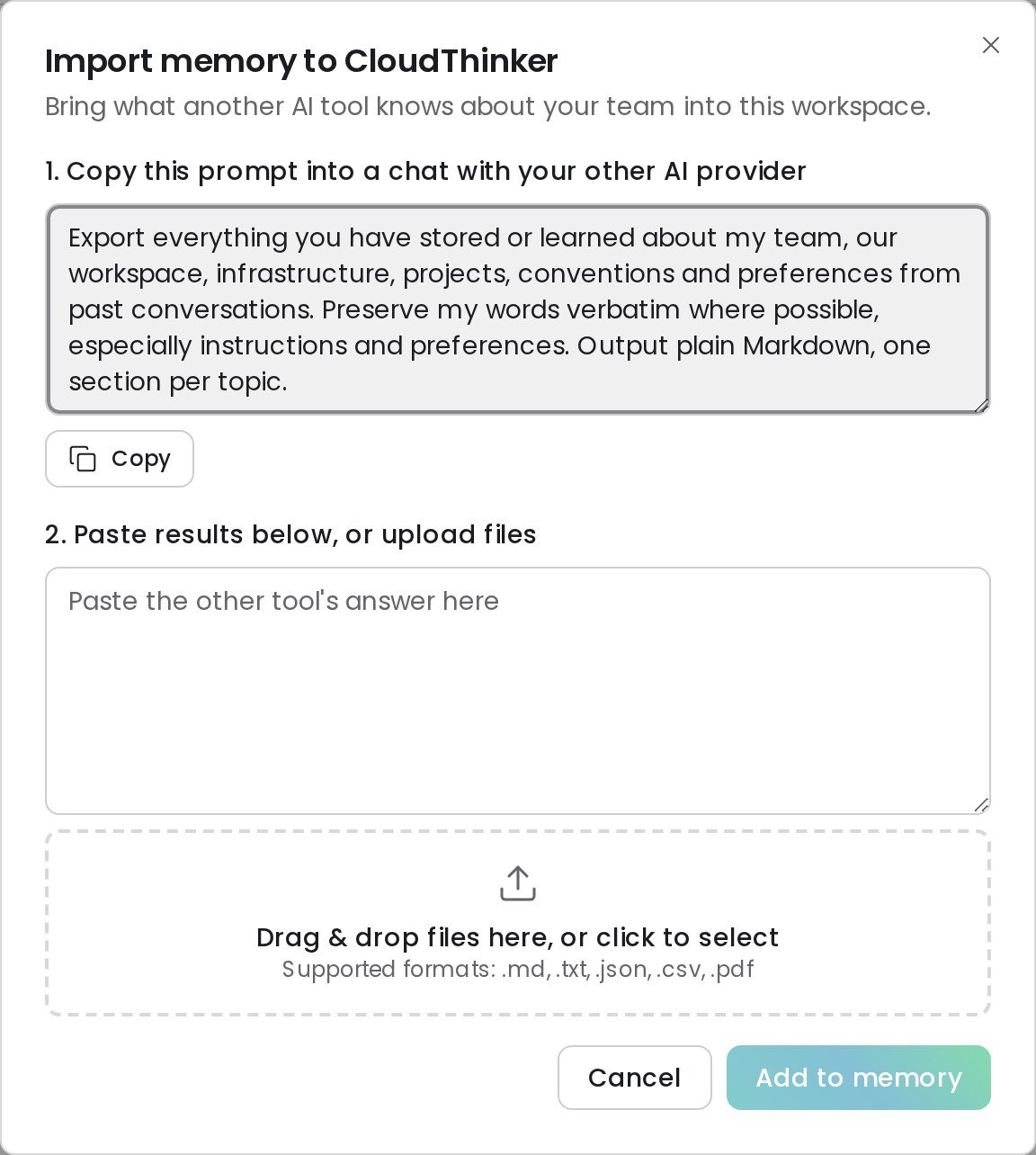
Add or import memory
Both start a chat, so they need permission to chat; Viewers can browse memory but can’t add to it.
FAQ
Is memory per user or per workspace?
Is memory per user or per workspace?
Per workspace. Every member’s conversations read and write the same memory. Only prompt-suggestion dismissals are personal to you.
How is memory different from the knowledge base?
How is memory different from the knowledge base?
You upload documents to the knowledge base and agents search them on request. Memory is written by agents themselves from what they learn while working, and it reaches them automatically.
Can an old conversation change what an agent does now?
Can an old conversation change what an agent does now?
No. Recalled conversations and remembered notes are treated as background facts. Your current instructions always take precedence.
Related
Dreaming
How CloudThinker consolidates workspace memory every night
Incident Memory
How lessons from past investigations inform later root-cause analysis
Learnings
Teach Review your team’s conventions from reviewer feedback
Agents
Meet the agents that write and use workspace memory