

Why Dreaming
- Memory stays tidy without effort. Agents save facts as they work; Dreaming merges the overlaps and drops what no longer holds.
- Nothing slips through. It reads every conversation in the activity window, and a conversation it can’t finish is read first the next night.
- Skills stay lean. Dreaming also merges and retires redundant custom skills, within limits you control.
- Safe by design. Connections stay read-only, and conversation and connection notes are never changed.
Turn it on
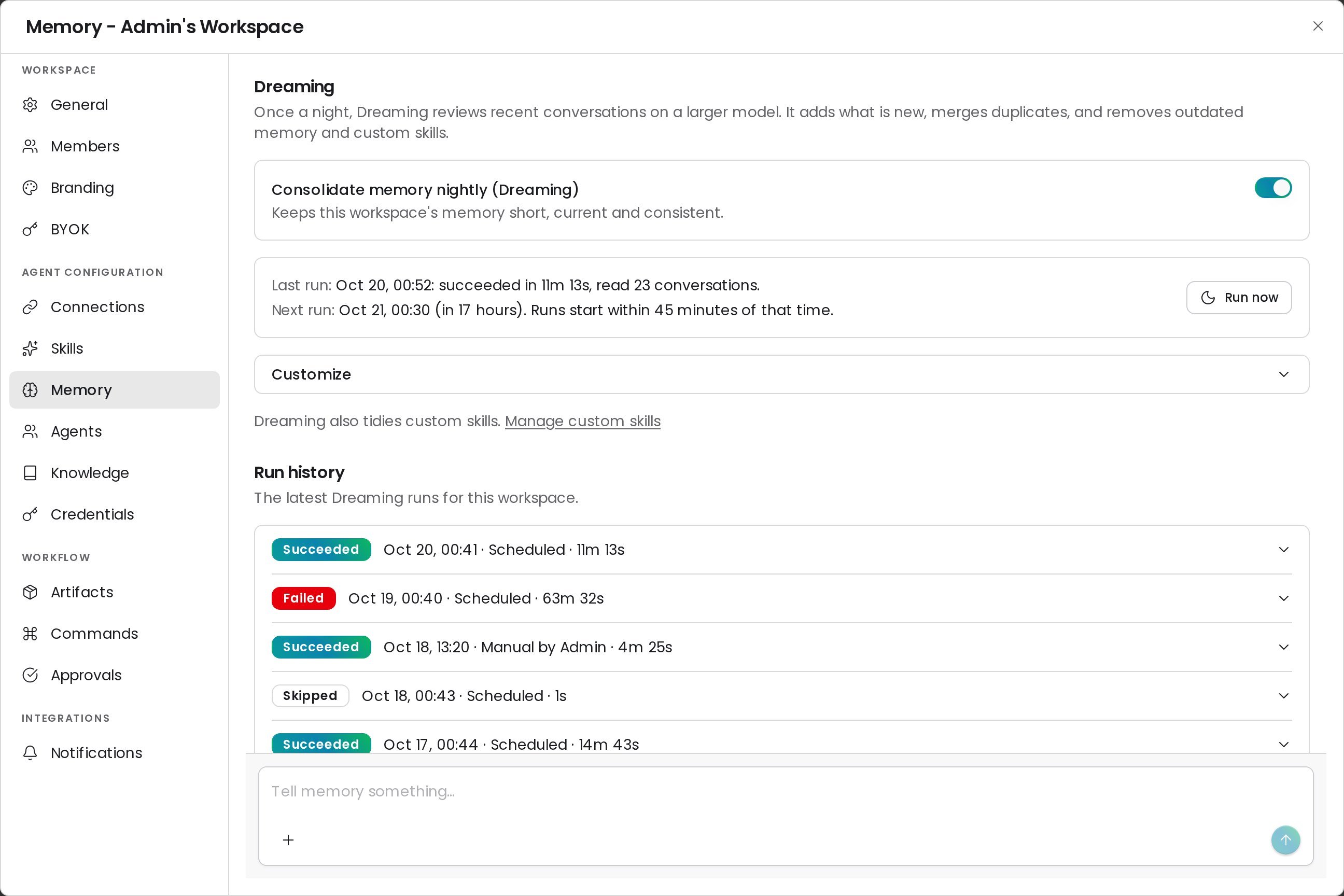
Dreaming is on by default for every workspace. Only a workspace admin can change it.1
Open Memory settings
Go to Settings → Memory.
2
Set the switch
Turn Consolidate memory nightly (Dreaming) on or off.
How a run works
Each night Dreaming starts at 00:30 UTC, spread over the next 45 minutes across workspaces. One run per workspace happens at a time.- Gather. Dreaming lists every conversation updated in the activity window, people’s chats first, plus any conversation the previous run didn’t finish.
- Read in parallel. Readers digest batches of conversations at the same time and report what is worth keeping. Readers can only read.
- Consolidate. Dreaming compares the digests with existing memory, then adds, edits, merges, or deletes items and keeps the memory index in step.
- Finalize. Dreaming records a summary in Run history. Near the time limit, it stops reading and finalizes with what it has.
- Carry over. Conversations it didn’t read to the end are read first on the next run.
What Dreaming reads and changes
Customize Dreaming
Open Customize on the Dreaming card. Workspace admins can change these options; members see them read-only.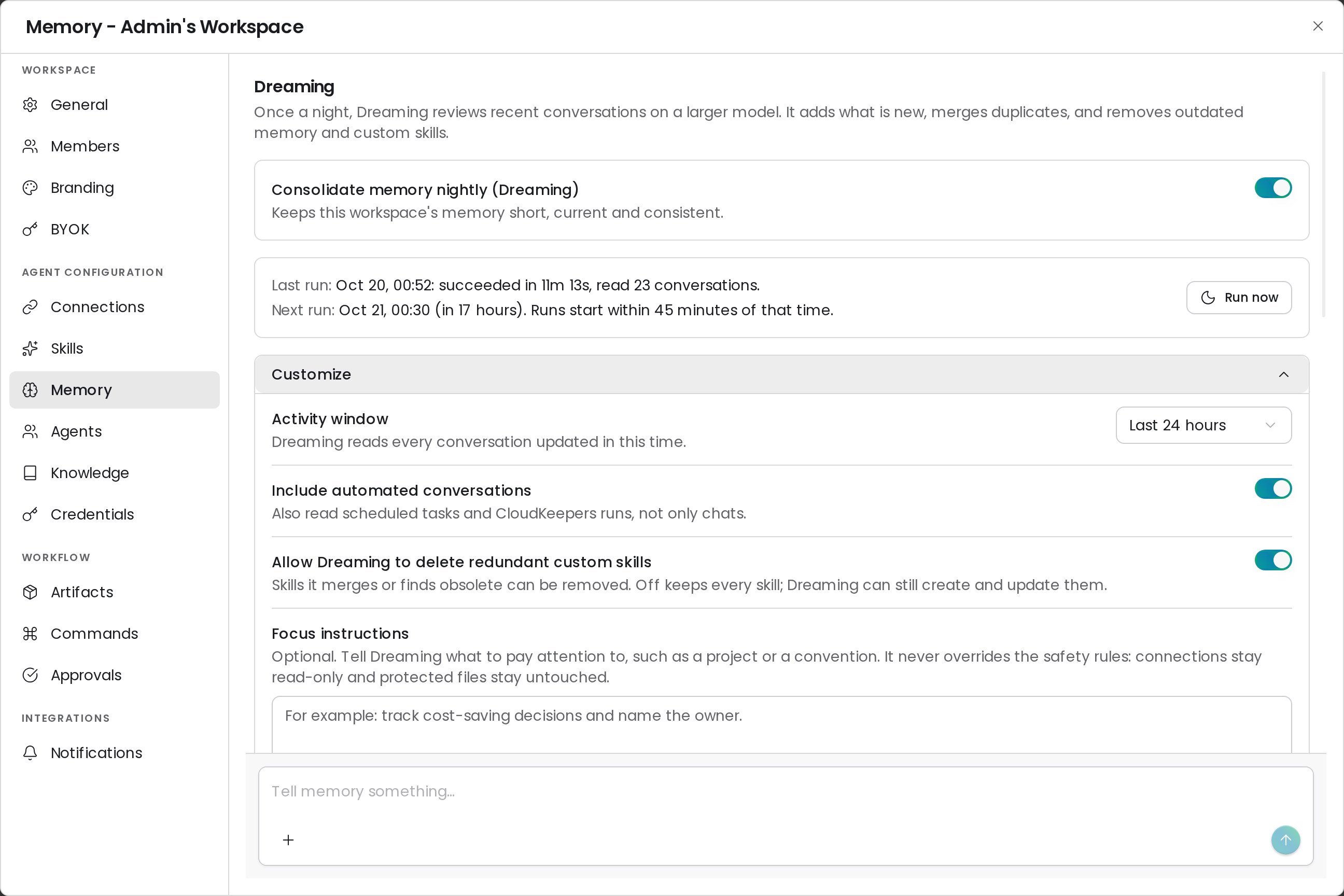
Run Dreaming now
Click Run now, then Run at Pro rate to start a run without waiting for the night. The run lands in Run history when it finishes.Read the run history
Run history lists the latest 20 runs with a status, start time, trigger (Scheduled or Manual), and duration. Expand a run to see what it did.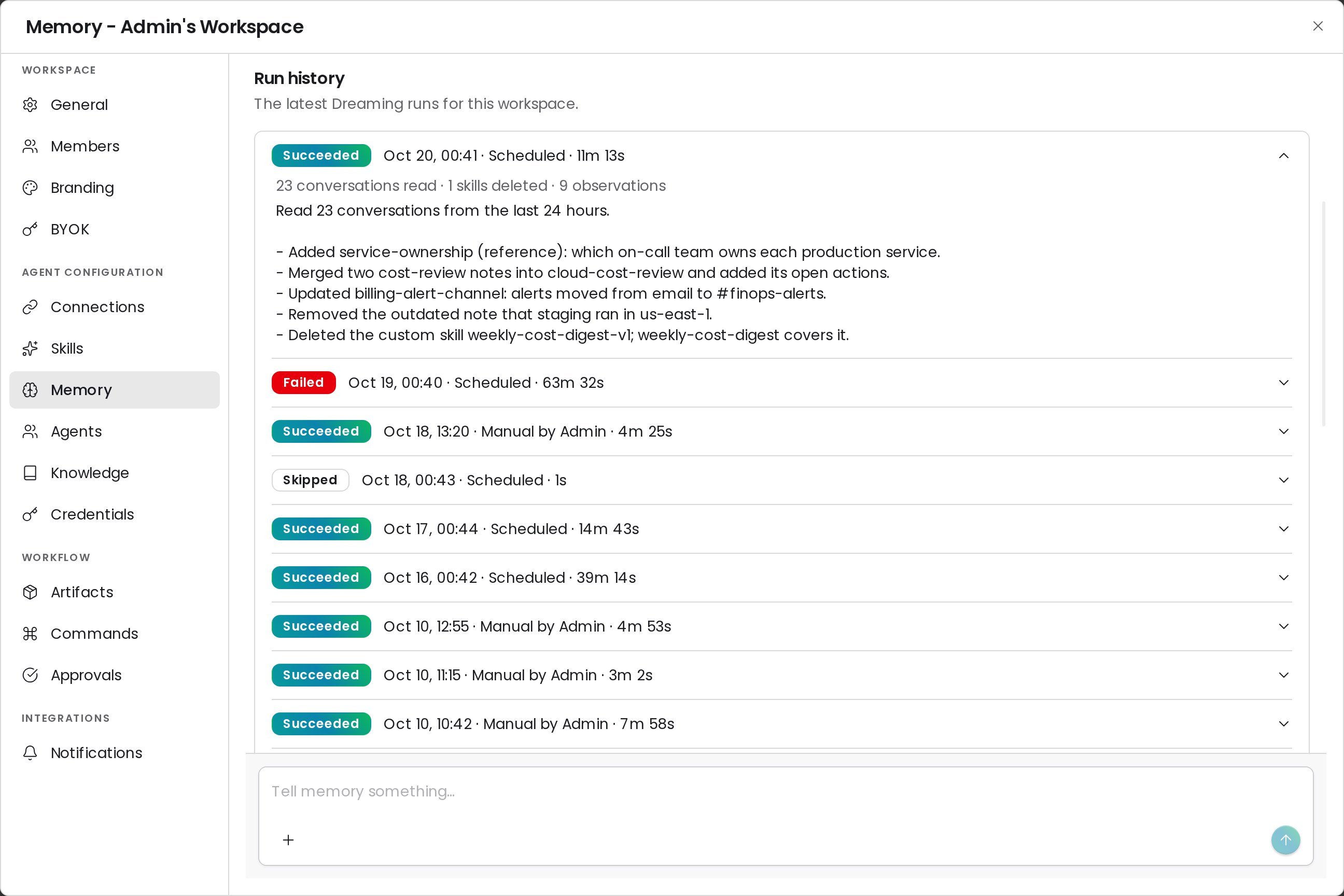
Time and cost
FAQ
Can Dreaming lose a memory item I edited by hand?
Can Dreaming lose a memory item I edited by hand?
Dreaming can merge or delete any item, including one you edited, when a newer conversation shows it is outdated. Deleted items keep a copy in the revision history.
Why did a run say Succeeded but change nothing?
Why did a run say Succeeded but change nothing?
Dreaming changes memory only when conversations add something new. A quiet night can end with no edits; the run summary says so.
Can I stop Dreaming for the whole instance?
Can I stop Dreaming for the whole instance?
An instance admin can turn Dreaming off for every workspace. The card then says Dreaming will not run until they turn it back on.
Related
Workspace Memory
Browse, edit, delete, or import what CloudThinker remembers
Custom skills
Manage the custom skills Dreaming keeps tidy