

The scenario
A platform team runs a production EKS cluster across several namespaces. CPU alerts are intermittent but investigation is slow — engineers run manualkubectl commands across hundreds of pods to correlate logs, metrics, and events.
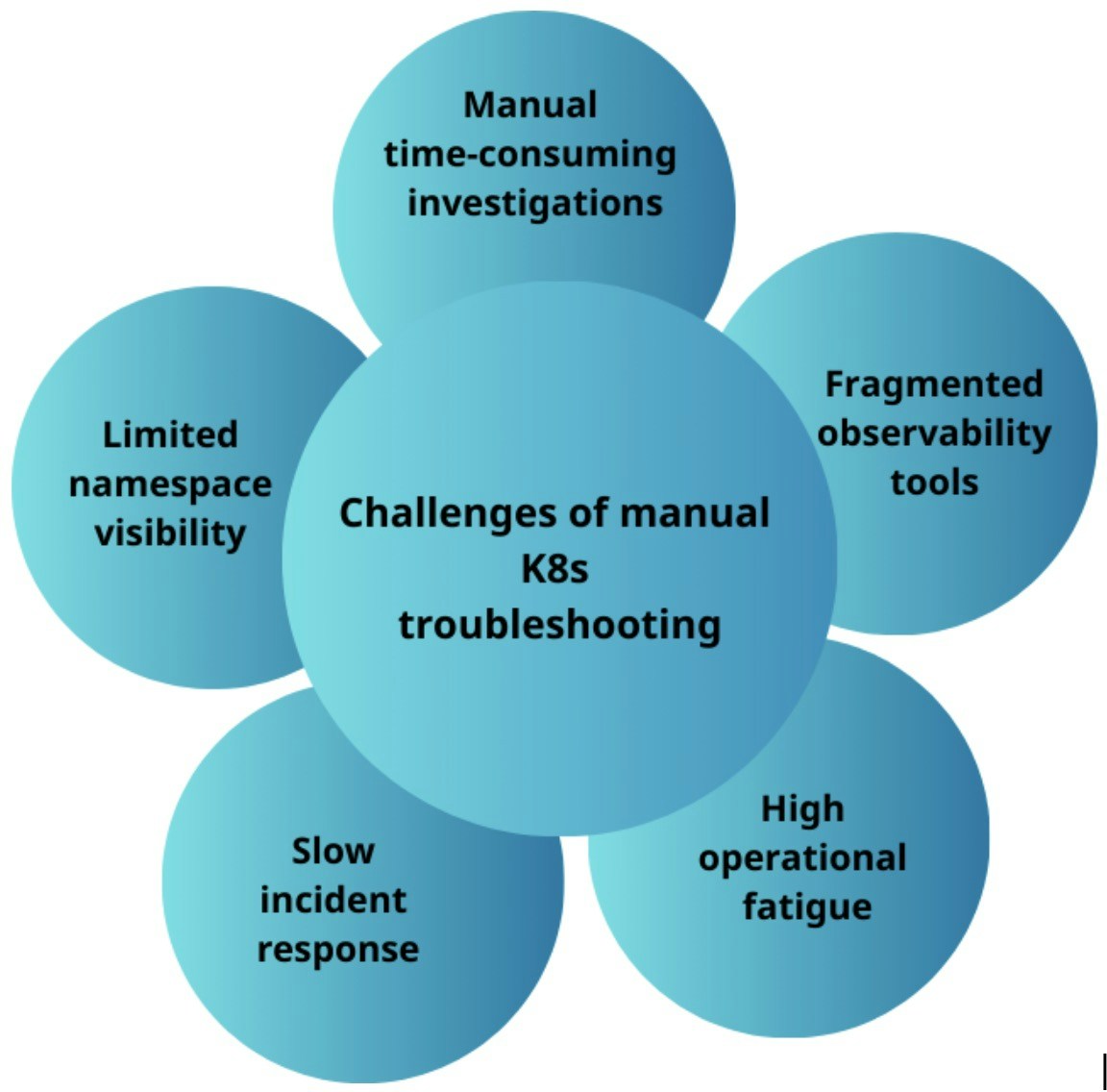
Manual Kubernetes troubleshooting challenges
The team asks Kai to assess the cluster end-to-end, identify resource waste, and recommend autoscaling policies where they are missing.Walkthrough
1
Connect Kai to your cluster
Follow the Kubernetes connection guide to give Kai access to your EKS cluster. Once the connection shows Connected, Kai can query the cluster directly.
2
Analyze pod resource utilization
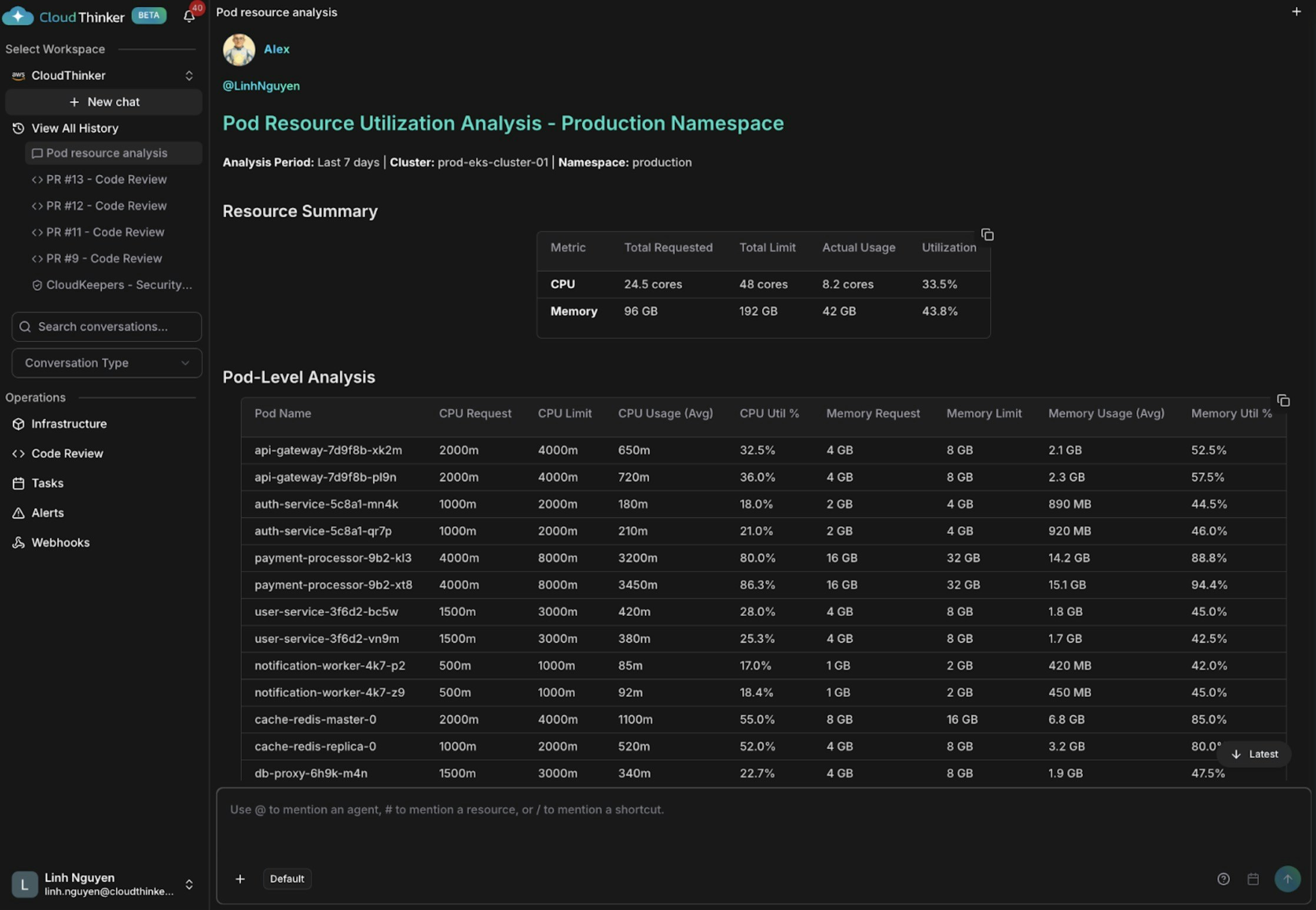
Pod resource utilization analysis
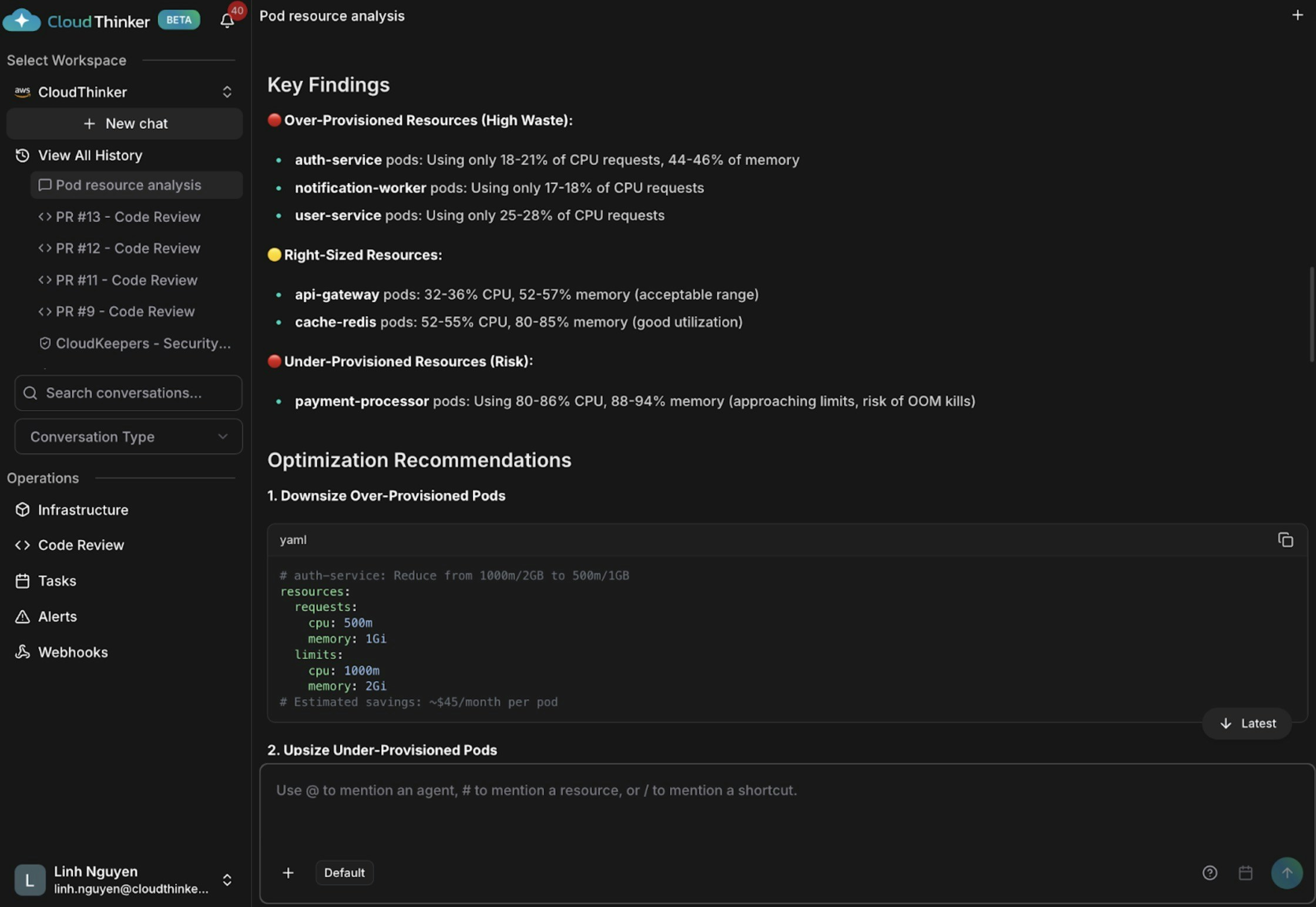
Pod analysis visualization with performance recommendations
Kai surfaces three findings: auth-service and notification-worker are over-provisioned (18–21% CPU), api-gateway and cache-redis are appropriately sized, and payment-processor is dangerously under-provisioned at 80–86% CPU and 88–94% memory — at high risk of OOM (out-of-memory) kills and service disruption.3
Identify underutilized nodes
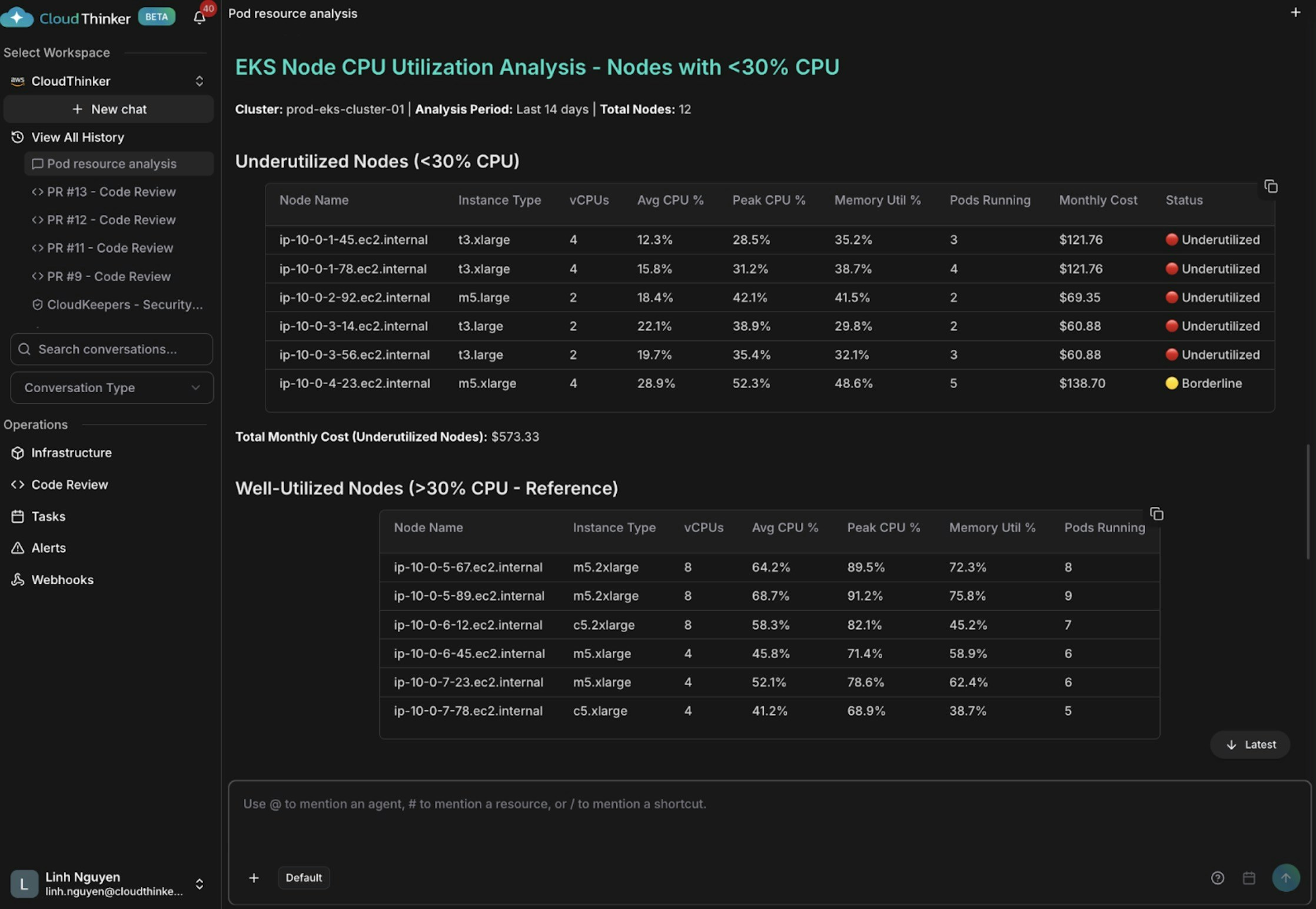
Node CPU utilization analysis showing underutilized instances
Kai finds five nodes averaging below 30% CPU (some as low as 12–15%), wasting approximately $573 per month. Oversized t3.xlarge instances running lightweight workloads — combined with poor pod scheduling — leave some nodes with only 2–3 pods while others carry 8–9.4
Get HPA recommendations
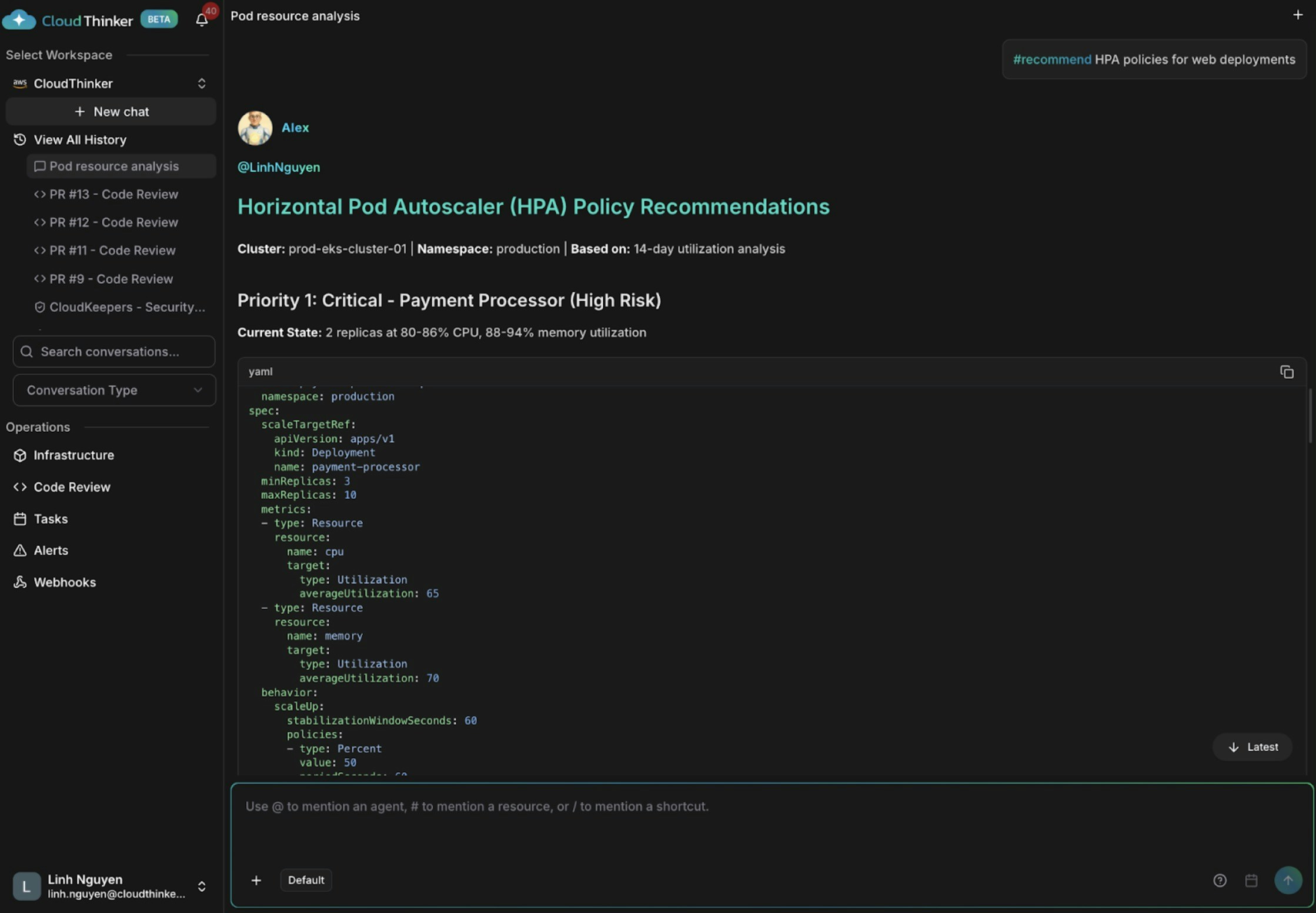
HPA policy recommendations for auto-scaling
Kai flags payment-processor as critically at risk — only 2 replicas at 80–86% CPU, no autoscaling in place. It recommends adding an HPA (Horizontal Pod Autoscaler — Kubernetes’s automatic scaling policy) to api-gateway to handle traffic spikes, and removing excess capacity from user-service and auth-service.What made this work
- Kai queries the cluster API directly, replacing manual
kubectlsessions and tool-switching. - Cross-layer correlation links pod utilization, node capacity, and scheduling patterns in a single analysis pass.
#reportand#visualizeformat Kai’s findings as a structured report and a chart instead of raw command output.#recommendgenerates actionable HPA policy changes rather than a raw metrics dump.- Automations can rerun this analysis on a schedule before on-call engineers are paged.
Try it yourself
Kai agent reference
Full capabilities of Kai, the Kubernetes Engineer agent

Kubernetes connection
Step-by-step guide to connecting CloudThinker to your EKS cluster
Pulse clusters
Group related Kubernetes signals before they become incidents
Automations
Run this Kubernetes analysis on a recurring schedule