

Official and custom skills
CloudThinker ships a public catalog of skills that every workspace can use. A shipped skill carries an Official badge and its name is reserved, so a workspace skill cannot take it. The Skills page manages your workspace’s own custom skills.How it works
- Create — write a skill manually, describe it in plain language for CloudThinker to generate, or upload a
.zippackage. - Enable — toggle the skill on in your workspace. New workspace skills start enabled; disabled skills stay saved but are not eligible anywhere.
- Attach — choose the surfaces where it applies: Chat, Review, Incident, Assessment, or a combination. New skills start attached to Chat; clearing all attachments hides a skill everywhere.
- Use — in Chat, Incident, and Assessment, agents pick the eligible skills that match the work in front of them. Review always applies attached skills during pull request analysis.
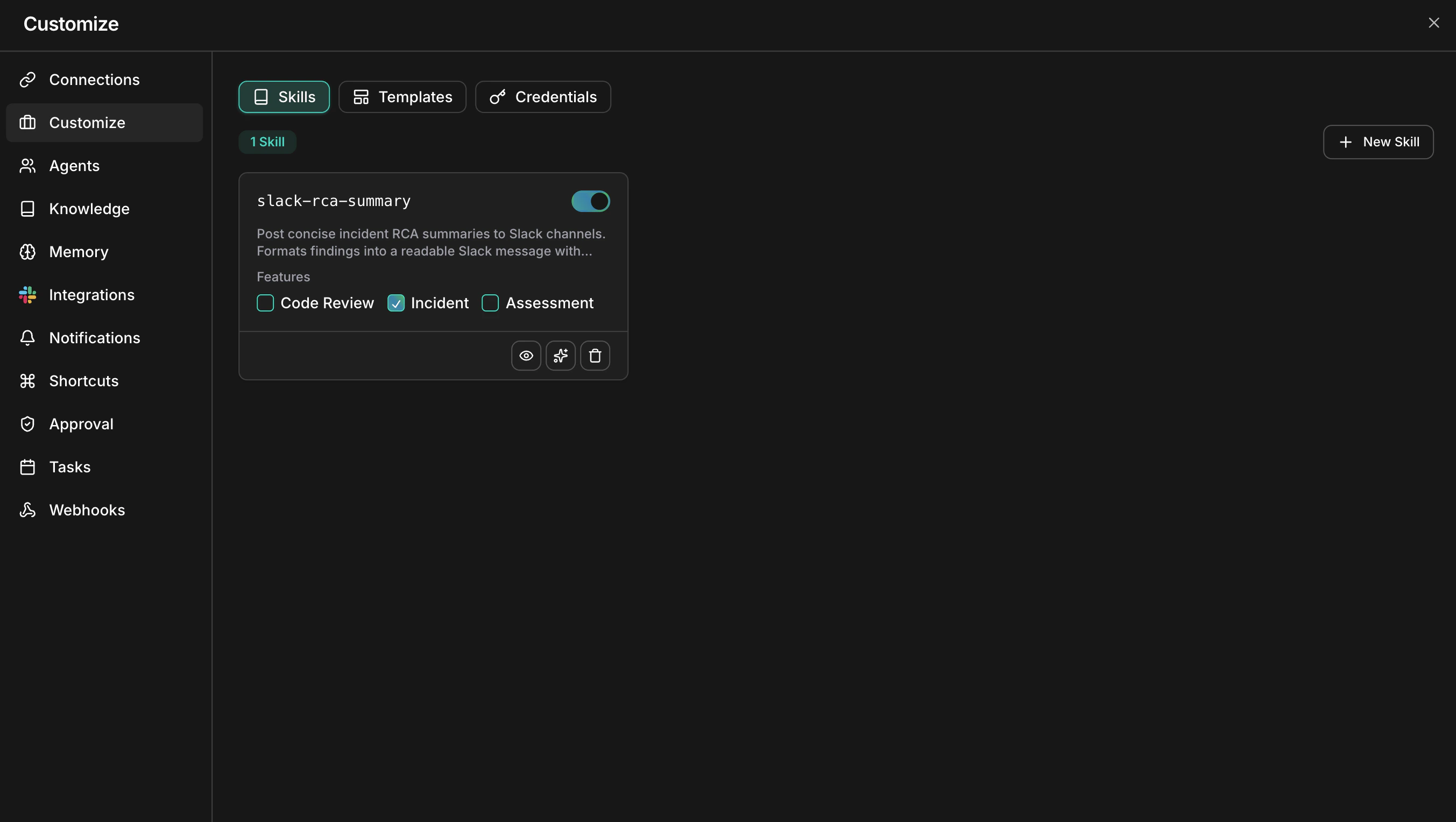
The Skills page lists every skill with its enable toggle and feature assignments
What you can do
Skills vs the knowledge base
Skills tell agents how to act; the knowledge base gives agents information to look up. They complement each other — a skill can direct an agent to consult specific documents.
Rule of thumb: use a skill for rules or workflows. Use the knowledge base for facts and documents the agent can retrieve when relevant.
Get started
Custom skills
Create, enable, and attach your first workspace skill
Skill format
Learn the SKILL.md structure with a complete worked example
Knowledge base
Give agents documents and websites to reference alongside skills
Code review setup
Connect a repository and use a skill attached to Review on a pull request